
SQL Server Integration Services has been the backbone of enterprise ETL on Microsoft platforms for over two decades. Organizations running hundreds or thousands of SSIS packages — encoded as .dtsx XML files — face a pivotal decision as they move to Google Cloud: how do you faithfully translate the control flow orchestration, data flow transformations, and connection management patterns of SSIS into the serverless, cloud-native architecture of BigQuery, Cloud Composer, and Dataform?
This is not a simple lift-and-shift. SSIS packages are deeply coupled to SQL Server — they rely on OLE DB connections, Windows authentication, MSDB job scheduling, and a tightly integrated control flow / data flow execution model that has no direct equivalent in the Google Cloud ecosystem. The migration requires decomposing each .dtsx package into its constituent parts and mapping them to the right Google Cloud service: BigQuery for data storage and SQL transformations, Cloud Composer (managed Apache Airflow) for orchestration, Dataform for SQL-based ELT workflows, Cloud Functions for lightweight procedural logic, and Google Cloud Storage for staging and file operations.
Why SSIS to BigQuery? The Strategic Case
The decision to migrate SSIS to BigQuery is driven by several converging forces that make the Microsoft-centric ETL stack increasingly difficult to justify for modern data platforms.
SQL Server Dependency Removal
SSIS is inextricably tied to SQL Server. Every SSIS package requires a SQL Server instance for the SSISDB catalog, package storage, logging, and execution. The SSIS runtime itself runs as a Windows service that must be installed on dedicated integration servers. This creates a hard dependency on SQL Server licensing, Windows Server infrastructure, and Microsoft-specific tooling that conflicts with multi-cloud and cloud-first strategies.
BigQuery eliminates this dependency entirely. There is no server to manage, no runtime to install, no catalog database to maintain. SQL transformations run in BigQuery’s serverless engine, orchestration runs in Cloud Composer’s managed Airflow environment, and all infrastructure is abstracted away behind Google Cloud APIs.
Serverless Economics
SSIS requires dedicated Integration Runtime servers — typically Windows VMs with SQL Server installed — that must be provisioned, patched, and scaled manually. During off-peak hours, these servers sit idle but continue to incur costs. During peak loads, they become bottlenecks that require manual intervention to scale.
BigQuery’s on-demand pricing model charges only for bytes scanned during query execution. There is no idle compute cost. Cloud Composer charges for the Airflow environment, but DAG execution triggers BigQuery jobs that scale automatically with no infrastructure management. For most organizations, this shift from provisioned to serverless compute reduces total cost of ownership by 40–60% while eliminating operational overhead.
Cloud-First Data Architecture
Modern data platforms are built around cloud-native services: object storage (GCS) for data lakes, BigQuery for analytical warehousing, Pub/Sub for streaming, Dataflow for beam pipelines, and Composer for orchestration. SSIS packages that load data from flat files on network shares, transform data through in-memory data flow pipelines, and write results to SQL Server tables represent an architectural pattern that is fundamentally incompatible with this cloud-native stack.
Migrating SSIS to BigQuery is not just a tool swap — it is an architectural modernization that moves the organization from a server-centric ETL model to a service-centric ELT model where data lands in cloud storage, transformations happen in the warehouse, and orchestration is managed as code.

SSIS to BigQuery migration — automated end-to-end by MigryX
Architecture Comparison: SSIS vs. Cloud Composer + BigQuery
Understanding the architectural differences between SSIS and the Google Cloud target stack is essential for planning a successful migration. The two systems have fundamentally different execution models, and every SSIS concept must be reinterpreted in the context of cloud-native services.
SSIS Architecture
An SSIS package (.dtsx) is an XML document that encodes two parallel execution graphs: a control flow that defines the sequence of tasks (Execute SQL, Script Task, File System Task, For Each Loop, etc.) and a data flow that defines the in-memory transformation pipeline (source adapters, transformations, destination adapters). The control flow is the orchestration layer — it determines what runs when and how errors are handled. The data flow is the transformation layer — it moves and transforms data row-by-row or buffer-by-buffer through an in-memory pipeline engine.
SSIS packages are stored in the SSISDB catalog on a SQL Server instance, scheduled through SQL Server Agent jobs, and executed by the SSIS runtime on dedicated Integration Runtime servers. Variables, parameters, and connection managers provide configuration and environment management. Package execution is logged to the SSISDB catalog with detailed event and diagnostic data.
Google Cloud Target Architecture
In the Google Cloud stack, orchestration moves to Cloud Composer (Airflow DAGs written in Python), SQL transformations move to BigQuery (via Dataform SQLX models or direct BigQuery SQL), procedural logic moves to Cloud Functions or Dataproc jobs, and file operations move to GCS with Cloud Functions or Composer operators. There is no in-memory data flow pipeline — instead, data is pushed down to BigQuery’s distributed query engine for transformation at scale.
This architectural shift means that SSIS data flow components (Derived Column, Lookup, Conditional Split, Multicast, Union All, Sort, Aggregate) are not converted to equivalent in-memory operations. Instead, they are expressed as SQL statements that BigQuery executes in its serverless engine. The SSIS control flow is converted to a Composer DAG that orchestrates BigQuery jobs, GCS operations, and Cloud Function invocations.
MigryX: Purpose-Built Parsers for Every Legacy Technology
MigryX does not rely on generic text matching or regex-based parsing. For every supported legacy technology, MigryX has built a dedicated Abstract Syntax Tree (AST) parser that understands the full grammar and semantics of that platform. This means MigryX captures not just what the code does, but why — understanding implicit behaviors, default settings, and platform-specific quirks that generic tools miss entirely.
Component Mapping: SSIS to Google Cloud
Every SSIS component has a target equivalent in the Google Cloud ecosystem. The following mapping table provides the definitive reference for converting .dtsx packages to Cloud Composer DAGs, BigQuery SQL, and Dataform models.
| SSIS Component | Google Cloud Equivalent | Notes |
|---|---|---|
| Data Flow Task | BigQuery SQL / Dataproc job | In-memory pipeline replaced by SQL pushdown or Spark for complex transforms |
| Execute SQL Task | BigQuery SQL (via Composer BigQueryInsertJobOperator) | SQL transpiled from T-SQL to BigQuery Standard SQL |
| Script Task (C#/VB.NET) | Cloud Function / Dataproc job | Procedural logic converted to Python Cloud Functions |
| For Each Loop Container | Composer DAG dynamic task loop | File iteration becomes GCS list + dynamic task mapping |
| Sequence Container | Composer TaskGroup | Logical grouping of related tasks with shared error handling |
| SSIS Variables | Composer Airflow variables / DAG params | Package variables become Airflow Variables or DAG run conf |
| Connection Managers | BigQuery connections / GCS / Secret Manager | OLE DB connections become BigQuery dataset refs; credentials in Secret Manager |
| .dtsx Package File | Composer DAG .py file | XML package converted to Python DAG definition |
| Derived Column Transform | SQL CASE / expression in SELECT | Column derivations become SQL expressions in BigQuery |
| Lookup Transform | BigQuery JOIN | Reference table lookups become JOIN operations in SQL |
| Conditional Split | CASE WHEN / WHERE clauses | Row routing becomes SQL conditional logic |
| OLE DB Source | BigQuery table / external table | SQL Server sources migrated to BigQuery tables |
| Flat File Source | GCS + BigQuery external table / LOAD | File sources staged in GCS, loaded via BigQuery load jobs |
| Multicast Transform | Multiple INSERT...SELECT statements | One source writing to multiple targets becomes parallel SQL |
| Union All Transform | UNION ALL in BigQuery SQL | Direct SQL equivalent |
| Sort Transform | ORDER BY in BigQuery SQL | Sorting pushed down to BigQuery engine |
| Aggregate Transform | GROUP BY with aggregate functions | SUM, COUNT, AVG, MIN, MAX in BigQuery SQL |
| Merge Join Transform | BigQuery JOIN (INNER/LEFT/FULL) | Sorted merge join becomes hash join in BigQuery |
| Data Conversion Transform | CAST / SAFE_CAST in BigQuery SQL | Type conversions handled by BigQuery casting functions |
| Row Count Transform | COUNT(*) subquery or Airflow XCom | Row counts captured as query results or task metadata |
| Execute Process Task | BashOperator / Cloud Function | External process execution via Composer operators |
| File System Task | GCSObjectOperator / GCSDeleteObjectsOperator | File copy/move/delete operations on GCS |
| Send Mail Task | EmailOperator / SendGrid API | Email notifications via Composer email operator |
| Package Parameters | Airflow DAG params / Variables | Externalized configuration for environment-specific values |
| Event Handlers | Airflow callbacks (on_failure_callback) | OnError, OnPostExecute become Airflow task callbacks |
| Precedence Constraints | Airflow task dependencies (>>) | Success/failure/completion constraints become DAG edges |
| SSISDB Catalog | Composer metadata DB / Cloud Logging | Execution history and logs in Cloud Logging and Airflow UI |
| SQL Server Agent Job | Composer DAG schedule | Cron-based scheduling in Airflow |
Parsing .dtsx XML: Inside the Package Structure
SSIS packages are stored as XML files with the .dtsx extension. The XML schema is complex, deeply nested, and includes multiple namespaces (DTS, SSIS, SQLTask). Automated migration requires parsing this XML to extract the control flow graph, data flow pipeline, connection strings, variables, parameters, and expressions.
Key XML Elements in a .dtsx File
The root element DTS:Executable contains the package definition. Inside it, DTS:ConnectionManagers defines data source and destination connections. DTS:Variables contains package-scoped variables with types and default values. DTS:Executables contains the control flow tasks and containers. Each Data Flow Task contains a pipeline element with components that define sources, transformations, and destinations. DTS:PrecedenceConstraints defines the execution order and conditional logic between tasks.
<!-- Simplified .dtsx structure showing key elements -->
<DTS:Executable DTS:ObjectName="DailyOrderETL">
  <DTS:ConnectionManagers>
    <DTS:ConnectionManager DTS:ObjectName="OLE_DB_Source"
      DTS:ConnectionString="Data Source=SQLPROD;
        Initial Catalog=OrdersDB;
        Provider=SQLNCLI11.1;
        Integrated Security=SSPI;"/>
  </DTS:ConnectionManagers>
  <DTS:Variables>
    <DTS:Variable DTS:ObjectName="RunDate"
      DTS:DataType="7">2026-04-08</DTS:Variable>
    <DTS:Variable DTS:ObjectName="RowCount"
      DTS:DataType="3">0</DTS:Variable>
  </DTS:Variables>
  <DTS:Executables>
    <DTS:Executable DTS:ExecutableType="SSIS.Pipeline.3"
      DTS:ObjectName="Load Orders">
      <!-- Data Flow pipeline components here -->
    </DTS:Executable>
    <DTS:Executable
      DTS:ExecutableType="Microsoft.ExecuteSQLTask"
      DTS:ObjectName="Update Aggregates">
      <!-- Execute SQL task with T-SQL -->
    </DTS:Executable>
  </DTS:Executables>
  <DTS:PrecedenceConstraints>
    <DTS:PrecedenceConstraint DTS:From="Load Orders"
      DTS:To="Update Aggregates" DTS:Value="0"/>
  </DTS:PrecedenceConstraints>
</DTS:Executable>
MigryX’s SSIS parser reads every element in the .dtsx XML tree, resolves cross-references between connection managers and tasks, extracts embedded SQL statements from Execute SQL Tasks, parses data flow pipeline graphs to identify transformation chains, and resolves SSIS expression language constructs (which use a proprietary syntax distinct from T-SQL) into equivalent BigQuery SQL expressions.
Code Example: SSIS Package to Cloud Composer DAG
Consider a typical SSIS package that loads daily order data from a SQL Server source, applies derived columns and lookups in a data flow, runs an aggregation SQL statement, and sends a notification email on completion or failure. Here is how the complete package converts to a Cloud Composer DAG.
Original SSIS Package (Conceptual)
The package named DailyOrderETL.dtsx contains a Sequence Container with three tasks: (1) a Data Flow Task that reads from Orders table via OLE DB Source, applies a Derived Column to calculate deal_tier, performs a Lookup against Customers to enrich with region, applies a Conditional Split to route high-value orders, and writes to staging.orders_enriched and staging.high_value_orders; (2) an Execute SQL Task that runs an aggregation query to populate reporting.daily_summary; (3) a Send Mail Task that notifies the team on success. The package has an OnError event handler that sends a failure notification.
Converted Cloud Composer DAG
from airflow import DAG
from airflow.providers.google.cloud.operators.bigquery import (
    BigQueryInsertJobOperator,
)
from airflow.providers.google.cloud.transfers.gcs_to_bigquery import (
    GCSToBigQueryOperator,
)
from airflow.operators.email import EmailOperator
from airflow.utils.task_group import TaskGroup
from datetime import datetime

# Converted from: DailyOrderETL.dtsx
# MigryX conversion ID: ssis-069-daily-order-etl
# Original connections: OLE_DB_Source -> SQLPROD.OrdersDB

dag = DAG(
    "daily_order_etl",
    description="Converted from SSIS package DailyOrderETL.dtsx",
    schedule_interval="0 6 * * *",
    start_date=datetime(2026, 1, 1),
    catchup=False,
    default_args={
        "retries": 2,
        "retry_delay": 300,
        "on_failure_callback": lambda ctx: EmailOperator(
            task_id="failure_alert",
            to="data-team@company.com",
            subject=f"FAILED: daily_order_etl - {ctx['task_instance'].task_id}",
            html_content="DAG daily_order_etl failed. Check Airflow logs.",
        ).execute(ctx),
    },
)

# --- Sequence Container: "Process Orders" -> TaskGroup ---
with TaskGroup("process_orders", dag=dag) as process_orders:

    # Data Flow Task: "Load Orders"
    # Original: OLE DB Source -> Derived Column -> Lookup -> Conditional Split
    # Converted: Single BigQuery SQL combining all data flow transformations
    load_and_enrich_orders = BigQueryInsertJobOperator(
        task_id="load_and_enrich_orders",
        configuration={
            "query": {
                "query": """
                    -- Data Flow: Derived Column + Lookup + write to staging
                    CREATE OR REPLACE TABLE `project.staging.orders_enriched` AS
                    SELECT
                        o.order_id,
                        o.order_date,
                        o.customer_id,
                        o.product_id,
                        o.amount,
                        -- Derived Column: deal_tier calculation
                        CASE
                            WHEN o.amount >= 10000 THEN 'enterprise'
                            WHEN o.amount >= 1000 THEN 'mid_market'
                            ELSE 'smb'
                        END AS deal_tier,
                        -- Lookup: Customer enrichment (was Lookup transform)
                        c.customer_name,
                        c.region,
                        c.segment
                    FROM `project.staging.raw_orders` o
                    LEFT JOIN `project.ref.customers` c
                        ON o.customer_id = c.customer_id
                    WHERE o.order_date = CURRENT_DATE() - 1
                """,
                "useLegacySql": False,
            }
        },
        dag=dag,
    )

    # Conditional Split: high-value orders to separate table
    split_high_value = BigQueryInsertJobOperator(
        task_id="split_high_value_orders",
        configuration={
            "query": {
                "query": """
                    -- Conditional Split: route high-value orders
                    CREATE OR REPLACE TABLE `project.staging.high_value_orders` AS
                    SELECT *
                    FROM `project.staging.orders_enriched`
                    WHERE deal_tier = 'enterprise'
                """,
                "useLegacySql": False,
            }
        },
        dag=dag,
    )

    load_and_enrich_orders >> split_high_value

# Execute SQL Task: "Update Aggregates"
update_aggregates = BigQueryInsertJobOperator(
    task_id="update_daily_summary",
    configuration={
        "query": {
            "query": """
                -- Execute SQL Task: aggregate to reporting layer
                CREATE OR REPLACE TABLE `project.reporting.daily_summary` AS
                SELECT
                    order_date,
                    region,
                    deal_tier,
                    COUNT(*) AS order_count,
                    SUM(amount) AS total_amount,
                    AVG(amount) AS avg_amount,
                    MIN(amount) AS min_amount,
                    MAX(amount) AS max_amount
                FROM `project.staging.orders_enriched`
                GROUP BY order_date, region, deal_tier
            """,
            "useLegacySql": False,
        }
    },
    dag=dag,
)

# Send Mail Task: success notification
send_success_email = EmailOperator(
    task_id="send_success_notification",
    to="data-team@company.com",
    subject="SUCCESS: Daily Order ETL completed",
    html_content="Daily order ETL pipeline completed successfully.",
    dag=dag,
)

# Precedence Constraints: sequential execution
process_orders >> update_aggregates >> send_success_email
Notice how the entire SSIS Data Flow Task — which contained four separate in-memory transformations (OLE DB Source, Derived Column, Lookup, Conditional Split) connected by data flow paths — collapses into two BigQuery SQL statements. The in-memory pipeline is replaced by SQL pushdown to BigQuery’s serverless engine. The SSIS Sequence Container becomes an Airflow TaskGroup. Precedence Constraints become Python >> operators. The OnError event handler becomes an Airflow on_failure_callback. SSIS Variables become Airflow Variables or Jinja-templated parameters.
SSIS Expression Language to BigQuery SQL
SSIS uses a proprietary expression language for Derived Column transformations, variable expressions, and precedence constraint conditions. This language has its own syntax for string functions, date functions, type casting, and conditional logic that differs from both T-SQL and BigQuery Standard SQL.
Expression Mapping Examples
| SSIS Expression | BigQuery SQL Equivalent |
|---|---|
(DT_STR,10,1252)OrderID | CAST(OrderID AS STRING) |
SUBSTRING(Name,1,50) | SUBSTR(Name, 1, 50) |
GETDATE() | CURRENT_TIMESTAMP() |
DATEADD("dd",-1,GETDATE()) | DATE_SUB(CURRENT_DATE(), INTERVAL 1 DAY) |
DATEDIFF("mm",StartDate,EndDate) | DATE_DIFF(EndDate, StartDate, MONTH) |
REPLACE(City," ","") | REPLACE(City, ' ', '') |
UPPER(TRIM(Email)) | UPPER(TRIM(Email)) |
LEN(Description) | LENGTH(Description) |
ISNULL(Phone) ? "N/A" : Phone | IFNULL(Phone, 'N/A') |
Amount > 10000 ? "High" : "Low" | IF(Amount > 10000, 'High', 'Low') |
(DT_DECIMAL,2)Amount | CAST(Amount AS NUMERIC) |
RIGHT("0000" + OrderCode,6) | LPAD(OrderCode, 6, '0') |
YEAR(OrderDate) | EXTRACT(YEAR FROM OrderDate) |
MONTH(OrderDate) | EXTRACT(MONTH FROM OrderDate) |
MigryX maintains a comprehensive expression transpilation engine that handles all SSIS expression language functions, including the less common ones like TOKENCOUNT, TOKEN, FINDSTRING, HEXTOBIN, and the various DT_ type casting operators. The transpiler also handles nested expressions and complex conditional chains that combine multiple functions in a single Derived Column expression.
For Each Loop Containers: Dynamic File Processing
One of the most common SSIS patterns is the For Each Loop Container that iterates over files in a directory, processes each file through a data flow, archives the file, and logs the result. This pattern requires special handling in Cloud Composer because Airflow DAGs are generated at parse time, not at execution time.
# SSIS For Each Loop -> Composer dynamic task mapping
from airflow.decorators import task
from airflow.providers.google.cloud.hooks.gcs import GCSHook
from airflow.providers.google.cloud.operators.bigquery import (
    BigQueryInsertJobOperator,
)

@task
def list_incoming_files():
    """Replaces SSIS ForEachFile enumerator scanning a directory."""
    hook = GCSHook()
    files = hook.list(
        bucket_name="raw-incoming",
        prefix="orders/",
        match_glob="*.csv",
    )
    return [f for f in files if f.endswith(".csv")]

@task
def load_file_to_bigquery(file_path: str):
    """Replaces SSIS Data Flow inside For Each Loop."""
    from google.cloud import bigquery
    client = bigquery.Client(project="my-project")

    job_config = bigquery.LoadJobConfig(
        source_format=bigquery.SourceFormat.CSV,
        skip_leading_rows=1,
        autodetect=True,
        write_disposition=bigquery.WriteDisposition.WRITE_APPEND,
    )

    uri = f"gs://raw-incoming/{file_path}"
    load_job = client.load_table_from_uri(
        uri,
        "my-project.staging.raw_orders",
        job_config=job_config,
    )
    load_job.result()  # Wait for completion
    return {"file": file_path, "rows": load_job.output_rows}

@task
def archive_file(file_path: str):
    """Replaces SSIS File System Task (move to archive)."""
    hook = GCSHook()
    hook.copy(
        source_bucket="raw-incoming",
        source_object=file_path,
        destination_bucket="raw-archive",
        destination_object=file_path,
    )
    hook.delete(bucket_name="raw-incoming", object_name=file_path)

# DAG flow: list files -> load each -> archive each
files = list_incoming_files()
for file_path in files:
    loaded = load_file_to_bigquery(file_path)
    loaded >> archive_file(file_path)
The SSIS For Each Loop Container is one of the most challenging patterns to convert because Airflow’s execution model differs fundamentally from SSIS. In SSIS, the loop executes sequentially at runtime. In Airflow, dynamic task mapping generates parallel tasks at DAG parse time. MigryX handles both sequential and parallel semantics, preserving the original execution order when the SSIS package requires it.
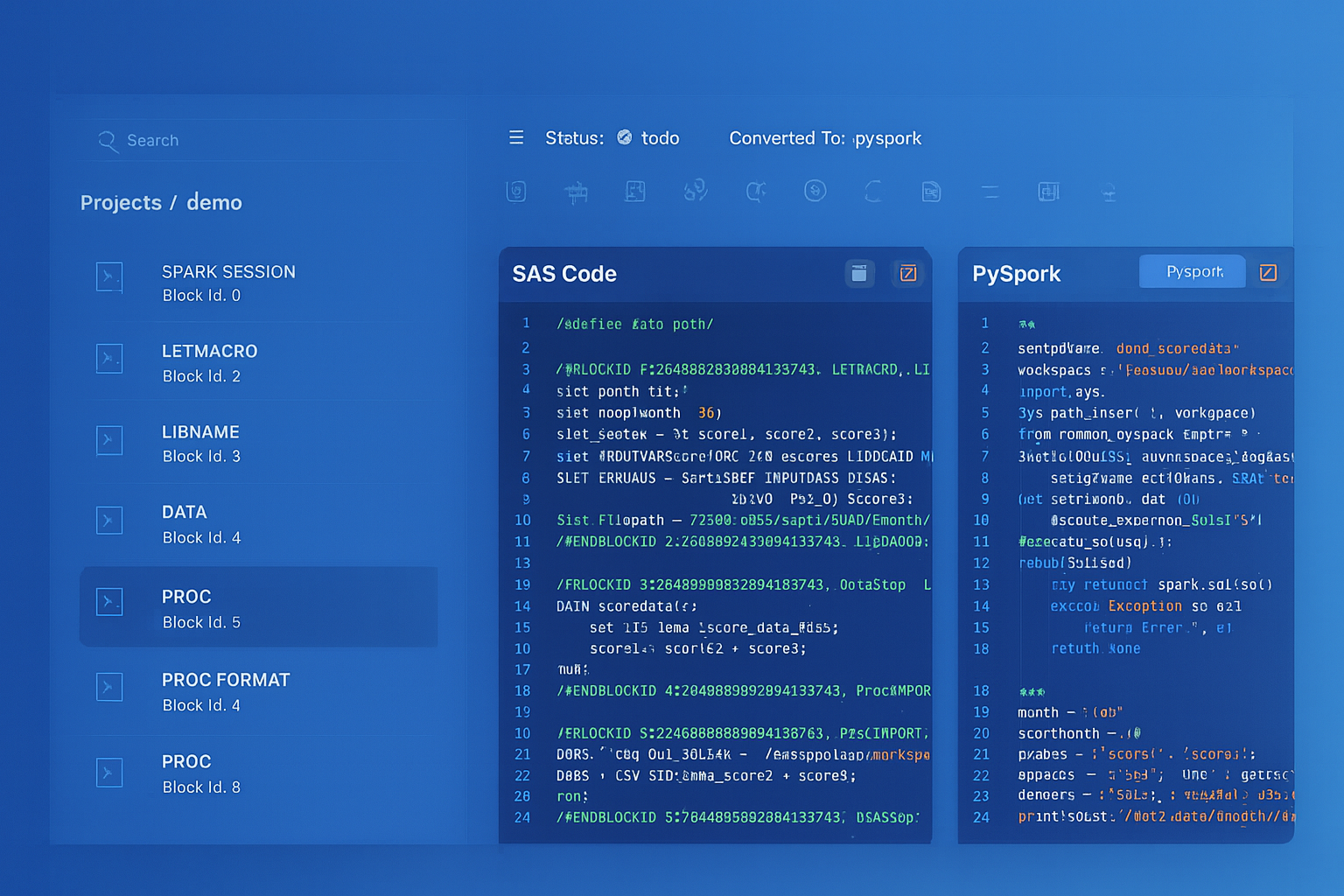
From parsed legacy code to production-ready modern equivalents — MigryX automates the entire conversion pipeline
From Legacy Complexity to Modern Clarity with MigryX
Legacy ETL platforms encode business logic in visual workflows, proprietary XML formats, and platform-specific constructs that are opaque to standard analysis tools. MigryX’s deep parsers crack open these proprietary formats and extract the underlying data transformations, business rules, and data flows. The result is complete transparency into what your legacy code actually does — often revealing undocumented logic that even the original developers had forgotten.
Connection Managers: From OLE DB to BigQuery
SSIS Connection Managers are XML elements that define data source connections using provider-specific connection strings. The most common types are OLE DB (for SQL Server), Flat File (for CSV/text files), ADO.NET (for generic .NET data providers), and SMTP (for email). Each connection manager type maps to a different Google Cloud service.
OLE DB connections to SQL Server become BigQuery dataset references. The SQL Server database maps to a BigQuery dataset, and tables map 1:1 after schema migration. Connection credentials move from Windows Integrated Security or SQL authentication to Google Cloud service account authentication, with secrets stored in Secret Manager rather than SSIS package configuration files or environment variables.
Flat File connections become GCS bucket and object path references. The local or network file paths in SSIS (\\fileserver\data\orders.csv) are replaced by GCS URIs (gs://raw-data/orders/orders.csv). File format specifications (delimiter, text qualifier, header row) are preserved in BigQuery load job configurations or external table definitions.
Data Type Mapping: SQL Server to BigQuery
SSIS data flow components use SQL Server data types internally for buffer management. When converting to BigQuery, every column type must be mapped correctly to avoid data loss or precision issues.
| SQL Server / SSIS Type | BigQuery Type | Notes |
|---|---|---|
| INT / DT_I4 | INT64 | BigQuery uses 64-bit integers |
| BIGINT / DT_I8 | INT64 | Direct mapping |
| SMALLINT / DT_I2 | INT64 | Widened to INT64 |
| DECIMAL(p,s) / DT_DECIMAL | NUMERIC or BIGNUMERIC | NUMERIC for p<=38, BIGNUMERIC for larger |
| FLOAT / DT_R8 | FLOAT64 | IEEE 754 double precision |
| VARCHAR / DT_STR | STRING | No length limit in BigQuery |
| NVARCHAR / DT_WSTR | STRING | BigQuery strings are always UTF-8 |
| DATETIME / DT_DBTIMESTAMP | DATETIME | Microsecond precision in BigQuery |
| DATE / DT_DBDATE | DATE | Direct mapping |
| BIT / DT_BOOL | BOOL | 0/1 converted to FALSE/TRUE |
| UNIQUEIDENTIFIER / DT_GUID | STRING | Stored as UUID string format |
| VARBINARY / DT_BYTES | BYTES | Binary data preserved |
| XML / DT_NTEXT | STRING or JSON | XML may be converted to JSON for BigQuery |
Handling SSIS Script Tasks
SSIS Script Tasks contain C# or VB.NET code that executes arbitrary logic: calling web APIs, parsing complex file formats, performing custom validations, sending notifications, or implementing business rules that cannot be expressed in SQL. These script tasks are the most challenging components to migrate because they require code translation from .NET to Python.
MigryX’s Script Task analyzer categorizes each script into one of several patterns and generates the appropriate Google Cloud equivalent. HTTP API calls become Cloud Function invocations with the requests library. File parsing logic becomes Python functions deployed as Cloud Functions or embedded in Composer task definitions. Custom validation logic becomes BigQuery SQL assertions or Dataform tests. Complex business rules become stored procedures in BigQuery scripting or Python Cloud Functions triggered by Composer.
# SSIS Script Task (C#) -> Cloud Function (Python)
# Original: Script Task calling REST API to validate customer records

# --- Original SSIS C# Script Task ---
# public void Main()
# {
#     string apiUrl = Dts.Variables["ApiEndpoint"].Value.ToString();
#     HttpWebRequest request = (HttpWebRequest)WebRequest.Create(apiUrl);
#     request.Method = "POST";
#     request.ContentType = "application/json";
#     // ... send customer batch, get validation results
#     Dts.Variables["ValidationResult"].Value = result;
#     Dts.TaskResult = (int)ScriptResults.Success;
# }

# --- Converted Cloud Function ---
import functions_framework
import requests
from google.cloud import bigquery

@functions_framework.http
def validate_customers(request):
    """Converted from SSIS Script Task: ValidateCustomerRecords."""
    client = bigquery.Client()

    # Read unvalidated customers from BigQuery
    query = """
        SELECT customer_id, name, email, phone
        FROM `project.staging.new_customers`
        WHERE validated = FALSE
    """
    rows = list(client.query(query).result())

    # Call validation API (same endpoint as SSIS package)
    api_url = "https://api.validation-service.com/v2/validate"
    batch = [dict(row) for row in rows]
    response = requests.post(api_url, json={"customers": batch})
    results = response.json()

    # Update validation status in BigQuery
    for r in results["validated"]:
        update_query = f"""
            UPDATE `project.staging.new_customers`
            SET validated = TRUE, validation_score = {r['score']}
            WHERE customer_id = '{r['customer_id']}'
        """
        client.query(update_query).result()

    return {"validated_count": len(results["validated"])}
Error Handling and Logging
SSIS provides a rich error handling model with event handlers (OnError, OnWarning, OnInformation, OnPostExecute), precedence constraint expressions (success, failure, completion with expressions), and detailed execution logging to the SSISDB catalog. Preserving this error handling behavior in Cloud Composer requires mapping each pattern to its Airflow equivalent.
SSIS OnError event handlers become Airflow on_failure_callback functions. Precedence constraints with failure paths become Airflow trigger_rule=TriggerRule.ONE_FAILED on downstream tasks. SSISDB execution logs are replaced by Cloud Logging integration, where every BigQuery job, Cloud Function invocation, and Composer task execution generates structured log entries that can be queried, alerted on, and retained according to organizational policies.
MigryX generates a logging configuration for each converted DAG that replicates the SSIS logging granularity, including row counts, execution times, error messages, and variable values at each stage of execution. This ensures that operations teams accustomed to SSISDB reporting have equivalent visibility in the Google Cloud environment.
Dataform Integration for SQL Transformations
While Cloud Composer handles orchestration, Dataform provides a purpose-built environment for SQL-based transformations with dependency management, incremental processing, testing, and documentation. Many SSIS Execute SQL Tasks that implement ELT patterns — staging-to-transformation-to-reporting SQL chains — are best expressed as Dataform SQLX models rather than individual BigQuery SQL statements in Composer.
-- Dataform SQLX model: converted from SSIS Execute SQL Task chain
-- Source: DailyOrderETL.dtsx -> "Update Aggregates" SQL task

config {
  type: "table",
  schema: "reporting",
  description: "Daily order summary by region and deal tier. Converted from SSIS package DailyOrderETL.dtsx.",
  assertions: {
    nonNull: ["order_date", "region", "deal_tier"],
    rowConditions: ["total_amount >= 0", "order_count > 0"]
  }
}

SELECT
    order_date,
    region,
    deal_tier,
    COUNT(*) AS order_count,
    SUM(amount) AS total_amount,
    AVG(amount) AS avg_amount,
    MIN(amount) AS min_amount,
    MAX(amount) AS max_amount
FROM ${ref("orders_enriched")}
GROUP BY order_date, region, deal_tier
Dataform adds capabilities that SSIS lacks: automatic dependency resolution between SQL models (no manual precedence constraints needed), built-in assertions for data quality testing, incremental processing with type: "incremental" that only processes new rows, and documentation that lives alongside the SQL code. For organizations migrating hundreds of SSIS Execute SQL Tasks, Dataform provides a more maintainable and testable target than raw BigQuery SQL in Composer DAGs.
MigryX Automation: End-to-End SSIS Conversion
Manual conversion of SSIS packages is error-prone, slow, and does not scale. A single complex .dtsx package can contain dozens of data flow components, hundreds of column mappings, and thousands of lines of embedded SQL and expressions. Enterprise SSIS environments typically contain hundreds to thousands of packages with interdependencies, shared connection managers, and parameterized configurations.
MigryX automates the end-to-end conversion process. Upload your .dtsx files and MigryX’s SSIS parser extracts every control flow task, data flow component, connection manager, variable, parameter, expression, and precedence constraint. The parser resolves the complete execution graph, identifies shared dependencies, and generates a conversion plan that maps each SSIS component to its Google Cloud equivalent.
The output is production-ready: Cloud Composer DAG Python files with correct task dependencies and error handling, BigQuery SQL statements with T-SQL transpiled to Standard SQL, Dataform SQLX models for SQL transformation chains, Cloud Function code for Script Task conversions, and a comprehensive mapping report that traces every SSIS component to its converted equivalent with line-level provenance.
Key Takeaways
- SSIS
.dtsxpackages decompose into three Google Cloud services: Cloud Composer for orchestration, BigQuery for SQL transformations and data storage, and Cloud Functions for procedural logic. - SSIS Data Flow Tasks — the in-memory transformation pipeline with Derived Column, Lookup, Conditional Split, and other components — collapse into BigQuery SQL statements that execute in the serverless engine with zero data movement overhead.
- SSIS Control Flow patterns (Sequence Containers, For Each Loops, precedence constraints, event handlers) map directly to Airflow concepts (TaskGroups, dynamic task mapping, task dependencies, callbacks).
- The SSIS expression language requires a dedicated transpiler — it is neither T-SQL nor Standard SQL, and every function, type cast operator, and conditional construct must be mapped to its BigQuery equivalent.
- Connection Managers move from OLE DB connection strings and Windows authentication to BigQuery dataset references and Google Cloud service account authentication with Secret Manager.
- Script Tasks (C#/VB.NET) convert to Python Cloud Functions, preserving API call patterns, custom validation logic, and business rules in a cloud-native runtime.
- Dataform SQLX models provide a superior target for SSIS Execute SQL Task chains, adding dependency management, incremental processing, assertions, and documentation that SSIS lacks.
- MigryX automates the complete conversion pipeline:
.dtsxXML parsing, expression transpilation, SQL dialect conversion, DAG generation, and mapping report creation — enabling enterprise-scale SSIS migrations without manual rewriting.
Why MigryX Is the Only Platform That Handles This Migration
The challenges described throughout this article are exactly what MigryX was built to solve. Here is how MigryX transforms this process:
- Deep AST parsing: MigryX’s custom-built parsers achieve 95% accuracy on every supported legacy technology — not through approximation, but through true semantic understanding.
- Merlin AI augmentation: Where deterministic parsing reaches its limit, Merlin AI resolves ambiguities and implicit behaviors, pushing accuracy to 99%.
- Complete coverage: MigryX supports 25+ source technologies including SAS, Informatica, DataStage, SSIS, Alteryx, Talend, ODI, Teradata, and Oracle PL/SQL.
- End-to-end automation: From parsing to conversion to validation — MigryX automates the entire pipeline, not just one step.
MigryX combines precision AST parsing with Merlin AI to deliver 99% accurate, production-ready migration — turning what used to be a multi-year manual effort into a streamlined, validated process. See it in action.
Ready to migrate your SSIS packages to BigQuery?
See how MigryX converts your .dtsx packages to production-ready Cloud Composer DAGs, BigQuery SQL, and Dataform models — with full lineage and expression transpilation.
Explore BigQuery Migration Schedule a Demo