
Oracle Data Integrator (ODI) has been the primary ETL platform for organizations running Oracle-centric data ecosystems. Its E-LT (Extract, Load, Transform) architecture pushes transformation work to the target database engine, which was a significant innovation when it was introduced. However, ODI's deep coupling to Oracle infrastructure — its repository lives in an Oracle database, its Knowledge Modules generate Oracle-specific SQL, and its topology model assumes Oracle-centric connectivity — creates a major obstacle when organizations move their data warehouse to Snowflake.
This guide provides a detailed technical mapping of ODI's core abstractions to Snowflake-native equivalents: mappings to SQL procedures, Knowledge Modules (IKM, LKM, CKM, JKM, RKM) to native loading and transformation, packages and scenarios to Task DAGs, load plans to multi-task pipelines, variables to session state, topology to Snowflake objects, sequences to native sequences, and journalizing (CDC) to Snowflake Streams. The goal is to give migration teams a comprehensive blueprint for eliminating ODI while preserving every ETL pattern it implements.
ODI Architecture vs. Snowflake Architecture
ODI organizes ETL logic around a repository model with several interconnected layers. The Master Repository stores topology (data servers, physical schemas, logical schemas, contexts) and security. The Work Repository stores projects containing mappings (or interfaces in ODI 11g), packages, scenarios, and load plans. Knowledge Modules (KMs) are reusable code templates that generate the SQL statements executed at runtime. The ODI Agent orchestrates execution, but the actual transformation SQL runs on the target database — this E-LT architecture was ODI's key differentiator.
Snowflake replaces this entire stack with native constructs. SQL stored procedures replace mappings and their generated SQL. Snowflake Tasks replace packages, scenarios, and load plans. Stages and storage integrations replace topology connections. Snowflake Streams replace journalizing. Virtual warehouses replace ODI agents as compute engines. The ODI repository, agent infrastructure, and Knowledge Module framework are all eliminated, resulting in a dramatically simpler architecture.
| ODI Concept | Snowflake Equivalent | Notes |
|---|---|---|
| Mapping / Interface | SQL Procedure / Snowpark Script | Transformation logic as native Snowflake code |
| IKM (Integration Knowledge Module) | INSERT / MERGE / COPY INTO | Target loading strategy expressed directly in SQL |
| LKM (Loading Knowledge Module) | Stage + COPY INTO / External Table | Source-to-staging data movement |
| CKM (Check Knowledge Module) | SQL constraints + validation procedures | Data quality checks in SQL |
| JKM (Journalizing Knowledge Module) | Snowflake Streams | Native change data capture, zero triggers |
| RKM (Reverse-Engineering Knowledge Module) | INFORMATION_SCHEMA / SHOW commands | Metadata discovery is built into Snowflake |
| Package | Task or stored procedure | Sequential step execution |
| Scenario | Stored procedure (compiled) | Deployable unit of execution |
| Load Plan | Task DAG with error handling | Multi-task orchestration with parallel/serial steps |
| ODI Variable | Session variable / Procedure parameter | Dynamic values passed at runtime |
| ODI Sequence | Snowflake Sequence | Auto-incrementing surrogate keys |
| Data Server (Topology) | Snowflake Database | Connection target becomes native database |
| Physical Schema (Topology) | Snowflake Schema | Schema within database |
| Logical Schema (Topology) | Schema reference (fully qualified names) | Eliminated; use database.schema.table notation |
| Context (Topology) | Environment (via naming conventions or roles) | DEV/TEST/PROD via database naming or role grants |
| ODI Agent | Virtual Warehouse | Elastic compute; no server management |
| ODI Repository | Eliminated | No external metadata store needed |
| Flow Control (CKM) | Data quality SQL checks / validation procs | Inline validation within pipeline procedures |

Oracle ODI to Snowflake migration — automated end-to-end by MigryX
ODI Mappings to Snowflake SQL Procedures and Snowpark
An ODI mapping (called an "interface" in ODI 11g) defines source-to-target data flow with transformations. At design time, you define sources, targets, joins, filters, and column expressions visually. At runtime, the selected Knowledge Modules generate SQL statements that execute on the source or target database. The generated SQL typically involves creating temporary staging tables (C$_ and I$_ tables), loading data into them, and then inserting into the target.
In Snowflake, this entire process is replaced by a stored procedure or Snowpark script that contains the transformation SQL directly. There are no intermediate staging tables, no code generation templates, and no KM configuration options to manage.
ODI Interface Mapping to Snowflake SQL Transformation
-- ODI Mapping: Load dim_product from source system
-- Sources: SRC_PRODUCTS (Oracle), SRC_CATEGORIES (Oracle)
-- Target: DW.DIM_PRODUCT (Oracle DW)
-- Join: SRC_PRODUCTS.category_id = SRC_CATEGORIES.category_id
-- Filter: SRC_PRODUCTS.is_active = 'Y'
-- Expressions:
--   PRODUCT_KEY = SRC_PRODUCTS.product_id
--   PRODUCT_NAME = UPPER(SRC_PRODUCTS.product_name)
--   CATEGORY_NAME = SRC_CATEGORIES.category_name
--   PRICE_TIER = CASE WHEN list_price > 100 THEN 'PREMIUM' ELSE 'STANDARD' END
-- IKM: IKM SQL to SQL (Append)

-- ODI GENERATED SQL (simplified):
-- CREATE TABLE C$_0DIM_PRODUCT AS SELECT ...  -- staging table
-- INSERT INTO C$_0DIM_PRODUCT SELECT ... FROM SRC_PRODUCTS JOIN SRC_CATEGORIES ...
-- INSERT INTO I$_DIM_PRODUCT SELECT ... FROM C$_0DIM_PRODUCT  -- integration table
-- INSERT INTO DW.DIM_PRODUCT SELECT * FROM I$_DIM_PRODUCT  -- target
-- DROP TABLE C$_0DIM_PRODUCT; DROP TABLE I$_DIM_PRODUCT;

-- SNOWFLAKE EQUIVALENT: Direct SQL in stored procedure (no staging tables)
CREATE OR REPLACE PROCEDURE etl.load_dim_product()
RETURNS VARCHAR
LANGUAGE SQL
AS
$$
BEGIN
    INSERT INTO warehouse.dim_product (
        product_key,
        product_name,
        category_name,
        list_price,
        price_tier,
        load_timestamp
    )
    SELECT
        p.product_id AS product_key,
        UPPER(p.product_name) AS product_name,
        c.category_name,
        p.list_price,
        CASE
            WHEN p.list_price > 100 THEN 'PREMIUM'
            ELSE 'STANDARD'
        END AS price_tier,
        CURRENT_TIMESTAMP() AS load_timestamp
    FROM staging.src_products p
    JOIN staging.src_categories c
        ON p.category_id = c.category_id
    WHERE p.is_active = 'Y';

    RETURN 'Loaded ' || SQLROWCOUNT || ' rows into dim_product';
END;
$$;
# Snowpark Python equivalent for complex mappings
from snowflake.snowpark import functions as F
from snowflake.snowpark import Session

def load_dim_product(session: Session) -> str:
    products = session.table("staging.src_products")
    categories = session.table("staging.src_categories")

    result = products.filter(
        F.col("is_active") == "Y"
    ).join(
        categories,
        products.category_id == categories.category_id,
        "inner"
    ).select(
        products.product_id.alias("product_key"),
        F.upper(products.product_name).alias("product_name"),
        categories.category_name,
        products.list_price,
        F.when(products.list_price > 100, F.lit("PREMIUM"))
         .otherwise(F.lit("STANDARD")).alias("price_tier"),
        F.current_timestamp().alias("load_timestamp")
    )

    result.write.mode("append").save_as_table("warehouse.dim_product")
    return f"Loaded {result.count()} rows into dim_product"
MigryX: Purpose-Built Parsers for Every Legacy Technology
MigryX does not rely on generic text matching or regex-based parsing. For every supported legacy technology, MigryX has built a dedicated Abstract Syntax Tree (AST) parser that understands the full grammar and semantics of that platform. This means MigryX captures not just what the code does, but why — understanding implicit behaviors, default settings, and platform-specific quirks that generic tools miss entirely.
Knowledge Modules: Detailed Snowflake Mappings
Knowledge Modules are the core of ODI's code generation engine. Each KM type handles a specific phase of the ETL process and generates SQL templates with substitution variables. Understanding what each KM type does is essential for mapping ODI logic to Snowflake native operations.
IKM (Integration Knowledge Module): Loading Strategies
IKMs define how data is loaded into the target table. Common IKMs include "IKM SQL to SQL (Append)" for simple inserts, "IKM SQL to SQL (Incremental Update)" for merge/upsert operations, and "IKM Oracle Incremental Update (MERGE)" for Oracle-specific optimizations. In Snowflake, these become INSERT, MERGE, or COPY INTO statements without any code generation framework.
-- ODI IKM: IKM SQL to SQL (Append)
-- Generated SQL: INSERT INTO TARGET SELECT ... FROM I$_TARGET
-- Snowflake: Direct INSERT...SELECT (no staging/integration table)
INSERT INTO warehouse.fact_orders
SELECT
    order_id, order_date, customer_id, product_id,
    quantity, unit_price,
    quantity * unit_price AS total_amount,
    CURRENT_TIMESTAMP() AS load_timestamp
FROM staging.src_orders
WHERE order_date >= DATEADD('day', -1, CURRENT_DATE());

-- ODI IKM: IKM SQL to SQL (Incremental Update) / IKM Oracle Incremental Update
-- Generated SQL: MERGE INTO TARGET USING I$_TARGET ON (pk match) ...
-- Snowflake: Direct MERGE
MERGE INTO warehouse.fact_sales t
USING staging.raw_sales s
ON t.sale_id = s.sale_id
WHEN MATCHED THEN UPDATE SET
    t.amount = s.amount,
    t.quantity = s.quantity,
    t.discount = s.discount,
    t.updated_at = CURRENT_TIMESTAMP()
WHEN NOT MATCHED THEN INSERT
    (sale_id, customer_id, product_id, amount, quantity, discount,
     created_at, updated_at)
VALUES
    (s.sale_id, s.customer_id, s.product_id, s.amount, s.quantity,
     s.discount, CURRENT_TIMESTAMP(), CURRENT_TIMESTAMP());
ODI IKM Incremental Update Pattern with Snowflake Streams
The most powerful migration pattern combines ODI's IKM Incremental Update logic with Snowflake Streams for automatic change data capture. This eliminates both the IKM code generation and the need for manual change detection logic.
-- ODI IKM Incremental Update pattern (conceptual):
-- 1. LKM loads source data into C$_ staging table
-- 2. IKM creates I$_ integration table with join/filter logic
-- 3. IKM generates MERGE: INSERT new rows, UPDATE changed rows
-- 4. CKM checks constraints on target
-- 5. Clean up C$_ and I$_ tables
-- This runs on a schedule via ODI Package/Scenario

-- SNOWFLAKE: Stream + MERGE replaces entire IKM incremental pattern
-- Step 1: Create stream on the landing/staging table
CREATE OR REPLACE STREAM staging.orders_stream
    ON TABLE staging.raw_orders
    SHOW_INITIAL_ROWS = FALSE;

-- Step 2: Create procedure that consumes stream data with MERGE
CREATE OR REPLACE PROCEDURE etl.incremental_load_orders()
RETURNS VARIANT
LANGUAGE SQL
AS
$$
DECLARE
    v_inserts INTEGER DEFAULT 0;
    v_updates INTEGER DEFAULT 0;
    v_deletes INTEGER DEFAULT 0;
    v_changes INTEGER;
BEGIN
    -- Check for changes (replaces ODI schedule-based polling)
    SELECT COUNT(*) INTO v_changes FROM staging.orders_stream;

    IF (v_changes = 0) THEN
        RETURN OBJECT_CONSTRUCT('status', 'NO_CHANGES', 'processed', 0);
    END IF;

    -- MERGE with stream metadata (replaces IKM Incremental Update SQL)
    MERGE INTO warehouse.fact_orders t
    USING (
        SELECT
            order_id,
            order_date,
            customer_id,
            product_id,
            quantity,
            unit_price,
            quantity * unit_price AS total_amount,
            METADATA$ACTION AS action,
            METADATA$ISUPDATE AS is_update
        FROM staging.orders_stream
    ) s
    ON t.order_id = s.order_id
    WHEN MATCHED AND s.action = 'DELETE' AND s.is_update = FALSE THEN
        DELETE
    WHEN MATCHED AND s.action = 'INSERT' AND s.is_update = TRUE THEN
        UPDATE SET
            t.order_date = s.order_date,
            t.customer_id = s.customer_id,
            t.product_id = s.product_id,
            t.quantity = s.quantity,
            t.unit_price = s.unit_price,
            t.total_amount = s.total_amount,
            t.updated_at = CURRENT_TIMESTAMP()
    WHEN NOT MATCHED AND s.action = 'INSERT' THEN
        INSERT (order_id, order_date, customer_id, product_id,
                quantity, unit_price, total_amount, created_at, updated_at)
        VALUES (s.order_id, s.order_date, s.customer_id, s.product_id,
                s.quantity, s.unit_price, s.total_amount,
                CURRENT_TIMESTAMP(), CURRENT_TIMESTAMP());

    -- Capture operation counts for logging
    -- (In production, use separate statements or query MERGE result metadata)

    RETURN OBJECT_CONSTRUCT(
        'status', 'SUCCESS',
        'changes_processed', v_changes,
        'completed_at', CURRENT_TIMESTAMP()
    );

EXCEPTION
    WHEN OTHER THEN
        INSERT INTO etl.error_log (proc_name, error_message, error_time)
        VALUES ('incremental_load_orders', SQLERRM, CURRENT_TIMESTAMP());
        RAISE;
END;
$$;

-- Step 3: Schedule with Task (replaces ODI Package/Scenario schedule)
CREATE OR REPLACE TASK etl.orders_incremental_task
    WAREHOUSE = etl_wh
    SCHEDULE = 'USING CRON */10 * * * * America/New_York'
    WHEN SYSTEM$STREAM_HAS_DATA('staging.orders_stream')
AS
    CALL etl.incremental_load_orders();

ALTER TASK etl.orders_incremental_task RESUME;
The combination of Snowflake Streams and MERGE is the most powerful replacement for ODI's IKM Incremental Update pattern. It eliminates the C$_ staging tables, I$_ integration tables, KM code generation, and manual change detection. The stream automatically tracks inserts, updates, and deletes at the metadata level with zero impact on source table performance, and the MERGE applies all changes atomically.
LKM (Loading Knowledge Module): Source Extraction
LKMs handle data extraction from source systems and loading into a staging area on the target. Common LKMs include "LKM SQL to SQL" (JDBC-based extraction), "LKM File to SQL" (flat file loading), and "LKM SQL to File" (data export). In Snowflake, these operations use stages, COPY INTO, external tables, and Snowpipe.
-- ODI LKM: LKM File to SQL
-- Reads flat files, creates C$_ staging tables, loads via JDBC batches

-- SNOWFLAKE: Stage + COPY INTO replaces LKM File to SQL
CREATE OR REPLACE STAGE etl.source_file_stage
    URL = 's3://company-etl/source-feeds/'
    STORAGE_INTEGRATION = s3_etl_integration
    FILE_FORMAT = (
        TYPE = 'CSV'
        FIELD_DELIMITER = ','
        SKIP_HEADER = 1
        FIELD_OPTIONALLY_ENCLOSED_BY = '"'
        NULL_IF = ('NULL', '', '\\N')
        DATE_FORMAT = 'YYYY-MM-DD'
        TIMESTAMP_FORMAT = 'YYYY-MM-DD HH24:MI:SS'
    );

COPY INTO staging.raw_orders
FROM @etl.source_file_stage/orders/
    PATTERN = '.*orders_[0-9]+\\.csv'
    ON_ERROR = 'CONTINUE'
    PURGE = TRUE;

-- For continuous ingestion (replaces scheduled LKM execution)
CREATE OR REPLACE PIPE staging.orders_pipe
    AUTO_INGEST = TRUE
AS
    COPY INTO staging.raw_orders
    FROM @etl.source_file_stage/orders/
    FILE_FORMAT = (TYPE = 'CSV' SKIP_HEADER = 1);
CKM (Check Knowledge Module): Data Quality Validation
CKMs validate data against constraints (primary keys, foreign keys, NOT NULL, CHECK conditions) after loading. ODI logs constraint violations to error tables (E$_ tables). In Snowflake, data validation is implemented with SQL queries that check business rules and log violations to audit tables.
-- ODI CKM: Generates constraint check queries
-- Checks PK uniqueness, FK references, NOT NULL, custom conditions
-- Violations are inserted into E$_TARGET_TABLE

-- SNOWFLAKE: Validation procedure replaces CKM
CREATE OR REPLACE PROCEDURE quality.validate_fact_orders()
RETURNS VARIANT
LANGUAGE SQL
AS
$$
DECLARE
    pk_violations INTEGER;
    fk_violations INTEGER;
    null_violations INTEGER;
    range_violations INTEGER;
    result VARIANT;
BEGIN
    -- PK uniqueness check (replaces CKM PK constraint check)
    SELECT COUNT(*) INTO pk_violations
    FROM (
        SELECT order_id, COUNT(*) AS cnt
        FROM warehouse.fact_orders
        GROUP BY order_id
        HAVING COUNT(*) > 1
    );

    -- Log PK violations to error table (replaces E$_ table)
    INSERT INTO quality.error_fact_orders
        (order_id, error_type, error_detail, check_timestamp)
    SELECT order_id, 'PK_DUPLICATE',
           'Duplicate order_id: ' || order_id || ' (' || cnt || ' rows)',
           CURRENT_TIMESTAMP()
    FROM (
        SELECT order_id, COUNT(*) AS cnt
        FROM warehouse.fact_orders
        GROUP BY order_id
        HAVING COUNT(*) > 1
    );

    -- FK reference check (replaces CKM FK constraint check)
    SELECT COUNT(*) INTO fk_violations
    FROM warehouse.fact_orders f
    LEFT JOIN warehouse.dim_customer c ON f.customer_id = c.customer_id
    WHERE c.customer_id IS NULL AND f.customer_id IS NOT NULL;

    INSERT INTO quality.error_fact_orders
        (order_id, error_type, error_detail, check_timestamp)
    SELECT f.order_id, 'FK_VIOLATION',
           'customer_id ' || f.customer_id || ' not in dim_customer',
           CURRENT_TIMESTAMP()
    FROM warehouse.fact_orders f
    LEFT JOIN warehouse.dim_customer c ON f.customer_id = c.customer_id
    WHERE c.customer_id IS NULL AND f.customer_id IS NOT NULL;

    -- NOT NULL check (replaces CKM NOT NULL constraint check)
    SELECT COUNT(*) INTO null_violations
    FROM warehouse.fact_orders
    WHERE total_amount IS NULL OR customer_id IS NULL OR product_id IS NULL;

    -- Business rule check (replaces CKM CHECK constraint)
    SELECT COUNT(*) INTO range_violations
    FROM warehouse.fact_orders
    WHERE total_amount < 0 OR quantity <= 0;

    result := OBJECT_CONSTRUCT(
        'pk_violations', pk_violations,
        'fk_violations', fk_violations,
        'null_violations', null_violations,
        'range_violations', range_violations,
        'total_errors', pk_violations + fk_violations + null_violations + range_violations,
        'check_timestamp', CURRENT_TIMESTAMP()
    );

    RETURN result;
END;
$$;
JKM (Journalizing Knowledge Module) to Snowflake Streams
JKMs implement Change Data Capture (CDC) by creating journal tables (J$_ tables) and database triggers that track inserts, updates, and deletes on source tables. This is one of the most complex and fragile ODI mechanisms — triggers impact source system performance, journal tables require maintenance, and subscriber management adds operational complexity. Snowflake Streams provide native CDC with zero configuration, zero triggers, and zero impact on source tables.
-- ODI JKM: Creates journal infrastructure on source database
-- JKM generates:
--   CREATE TABLE J$_SRC_CUSTOMERS (...)  -- journal table with CDC columns
--   CREATE TRIGGER trg_i_SRC_CUSTOMERS AFTER INSERT ON SRC_CUSTOMERS ...
--   CREATE TRIGGER trg_u_SRC_CUSTOMERS AFTER UPDATE ON SRC_CUSTOMERS ...
--   CREATE TRIGGER trg_d_SRC_CUSTOMERS AFTER DELETE ON SRC_CUSTOMERS ...
-- ODI mapping reads from J$_ table to process only changed rows
-- Subscriber table tracks consumption position

-- SNOWFLAKE: Stream replaces entire JKM mechanism
CREATE OR REPLACE STREAM staging.customers_stream
    ON TABLE staging.src_customers
    SHOW_INITIAL_ROWS = FALSE;

-- Process changes using the stream
CREATE OR REPLACE PROCEDURE etl.process_customer_changes()
RETURNS VARCHAR
LANGUAGE SQL
AS
$$
DECLARE
    changes_count INTEGER;
BEGIN
    SELECT COUNT(*) INTO changes_count FROM staging.customers_stream;

    IF (changes_count = 0) THEN
        RETURN 'No changes to process';
    END IF;

    MERGE INTO warehouse.dim_customer t
    USING (
        SELECT
            customer_id, customer_name, email, segment, region,
            METADATA$ACTION AS action,
            METADATA$ISUPDATE AS is_update
        FROM staging.customers_stream
    ) s
    ON t.customer_id = s.customer_id
    WHEN MATCHED AND s.action = 'DELETE' AND s.is_update = FALSE THEN
        DELETE
    WHEN MATCHED AND s.action = 'INSERT' AND s.is_update = TRUE THEN
        UPDATE SET
            t.customer_name = s.customer_name,
            t.email = s.email,
            t.segment = s.segment,
            t.region = s.region,
            t.updated_at = CURRENT_TIMESTAMP()
    WHEN NOT MATCHED AND s.action = 'INSERT' THEN
        INSERT (customer_id, customer_name, email, segment, region,
                created_at, updated_at)
        VALUES (s.customer_id, s.customer_name, s.email, s.segment,
                s.region, CURRENT_TIMESTAMP(), CURRENT_TIMESTAMP());

    RETURN 'Processed ' || :changes_count || ' change records';
END;
$$;

-- Schedule CDC processing
CREATE OR REPLACE TASK etl.customer_cdc_task
    WAREHOUSE = etl_wh
    SCHEDULE = 'USING CRON */15 * * * * America/New_York'
    WHEN SYSTEM$STREAM_HAS_DATA('staging.customers_stream')
AS
    CALL etl.process_customer_changes();

ALTER TASK etl.customer_cdc_task RESUME;
RKM (Reverse-Engineering Knowledge Module)
RKMs extract metadata from databases to populate ODI's model structure — discovering tables, columns, data types, constraints, and indexes. In Snowflake, metadata discovery is built into the platform through INFORMATION_SCHEMA, SHOW commands, and DESCRIBE.
-- ODI RKM: Discovers tables and columns from database
-- Populates ODI models with table structures via JDBC metadata

-- SNOWFLAKE: Built-in metadata discovery (no RKM needed)
SHOW TABLES IN SCHEMA warehouse;
DESCRIBE TABLE warehouse.fact_orders;

SELECT table_schema, table_name, column_name, data_type,
       is_nullable, column_default, numeric_precision, numeric_scale
FROM information_schema.columns
WHERE table_schema = 'WAREHOUSE'
ORDER BY table_name, ordinal_position;
ODI Packages and Scenarios to Snowflake Task DAGs
ODI packages orchestrate multiple steps — mappings, procedures, variables, flow control (OK/KO/Always branches) — into a sequential or conditional execution flow. Scenarios are compiled, deployable versions of packages that can be scheduled via ODI Agent or external schedulers. Snowflake Tasks with predecessor dependencies replicate this pattern, with stored procedures providing conditional logic within each step.
-- ODI Package: "PKG_DAILY_LOAD"
-- Step 1: Refresh Variable "v_load_date" (Evaluate)
-- Step 2 (on OK): Execute Mapping "MAP_LOAD_STAGING" (LKM File to SQL)
-- Step 3 (on OK): Execute Mapping "MAP_TRANSFORM_FACTS" (IKM SQL Append)
-- Step 4 (on OK): Execute Procedure "PROC_VALIDATE" (CKM-style checks)
-- Step 5 (on KO from Step 4): Execute Procedure "PROC_SEND_ALERT"
-- Step 5 (on OK from Step 4): Execute Mapping "MAP_UPDATE_DIMS" (IKM Incremental)

-- SNOWFLAKE: Task DAG replaces ODI Package
CREATE OR REPLACE TASK etl.daily_load_staging
    WAREHOUSE = etl_wh
    SCHEDULE = 'USING CRON 0 3 * * * America/New_York'
    ERROR_INTEGRATION = etl_notification
    SUSPEND_TASK_AFTER_NUM_FAILURES = 3
AS
    CALL etl.load_staging_from_files();

CREATE OR REPLACE TASK etl.daily_transform_facts
    WAREHOUSE = etl_wh
    AFTER etl.daily_load_staging
AS
    CALL etl.transform_and_load_facts();

CREATE OR REPLACE TASK etl.daily_validate
    WAREHOUSE = etl_wh
    AFTER etl.daily_transform_facts
AS
    CALL quality.validate_fact_orders();

CREATE OR REPLACE TASK etl.daily_update_dims
    WAREHOUSE = etl_wh
    AFTER etl.daily_validate
AS
    CALL etl.incremental_update_dimensions();

-- Enable tasks bottom-up
ALTER TASK etl.daily_update_dims RESUME;
ALTER TASK etl.daily_validate RESUME;
ALTER TASK etl.daily_transform_facts RESUME;
ALTER TASK etl.daily_load_staging RESUME;
ODI Load Plans to Multi-Task DAGs with Parallel Branches
ODI load plans provide enterprise-grade orchestration with parallel execution branches, serial sequences, exception handling, restart capability, and variable passing between steps. They are the most complex ODI construct. Snowflake Task DAGs with fan-out/fan-in patterns and stored procedure logic replicate this capability, with the added benefit of per-task warehouse sizing.
-- ODI Load Plan: "LP_FULL_DAILY_ETL"
-- Serial Step 1: "Initialize" (set variables, truncate staging)
-- Parallel Step 2: "Extract Sources" (3 branches in parallel)
--   Branch A: Scenario "SCN_EXTRACT_ORDERS"
--   Branch B: Scenario "SCN_EXTRACT_CUSTOMERS"
--   Branch C: Scenario "SCN_EXTRACT_PRODUCTS"
-- Serial Step 3: "Transform" (after all extracts complete)
--   Scenario "SCN_TRANSFORM_FACTS"
--   Scenario "SCN_TRANSFORM_DIMS"
-- Serial Step 4: "Publish" (after transform)
-- Exception Step: "Handle Errors" (log and notify)

-- SNOWFLAKE: Multi-task DAG with parallel branches
-- Root task: Initialize
CREATE OR REPLACE TASK etl.lp_initialize
    WAREHOUSE = etl_wh
    SCHEDULE = 'USING CRON 0 1 * * * America/New_York'
    ERROR_INTEGRATION = etl_notification
    SUSPEND_TASK_AFTER_NUM_FAILURES = 3
AS
    CALL etl.initialize_daily_run();

-- Parallel extraction tasks (all depend on initialize — fan-out)
CREATE OR REPLACE TASK etl.lp_extract_orders
    WAREHOUSE = etl_wh
    AFTER etl.lp_initialize
AS
    CALL etl.extract_orders();

CREATE OR REPLACE TASK etl.lp_extract_customers
    WAREHOUSE = etl_wh
    AFTER etl.lp_initialize
AS
    CALL etl.extract_customers();

CREATE OR REPLACE TASK etl.lp_extract_products
    WAREHOUSE = etl_wh
    AFTER etl.lp_initialize
AS
    CALL etl.extract_products();

-- Transform depends on ALL extracts completing (fan-in)
CREATE OR REPLACE TASK etl.lp_transform
    WAREHOUSE = transform_wh
    AFTER etl.lp_extract_orders, etl.lp_extract_customers, etl.lp_extract_products
AS
    CALL etl.transform_all();

-- Publish task: final step
CREATE OR REPLACE TASK etl.lp_publish
    WAREHOUSE = etl_wh
    AFTER etl.lp_transform
AS
    CALL etl.validate_and_publish();

-- Enable all tasks (bottom-up)
ALTER TASK etl.lp_publish RESUME;
ALTER TASK etl.lp_transform RESUME;
ALTER TASK etl.lp_extract_orders RESUME;
ALTER TASK etl.lp_extract_customers RESUME;
ALTER TASK etl.lp_extract_products RESUME;
ALTER TASK etl.lp_initialize RESUME;
The initialize procedure encapsulates the variable-setting and staging-truncation that ODI load plans perform in their initialization step.
-- Initialize procedure (replaces ODI Load Plan initialization step)
CREATE OR REPLACE PROCEDURE etl.initialize_daily_run()
RETURNS VARCHAR
LANGUAGE SQL
AS
$$
DECLARE
    v_run_id VARCHAR;
BEGIN
    v_run_id := UUID_STRING();

    INSERT INTO etl.run_history (run_id, load_plan_name, status, start_time)
    VALUES (:v_run_id, 'LP_FULL_DAILY_ETL', 'RUNNING', CURRENT_TIMESTAMP());

    TRUNCATE TABLE staging.raw_orders;
    TRUNCATE TABLE staging.raw_customers;
    TRUNCATE TABLE staging.raw_products;

    RETURN v_run_id;
END;
$$;
ODI Variables and Sequences to Snowflake Equivalents
ODI variables store dynamic values used across mappings and packages — dates, counters, flags, and computed values from refresh queries. ODI sequences generate surrogate keys for dimension tables. Snowflake provides session variables, procedure parameters, and native sequences with equivalent functionality.
-- ODI Variable: #GLOBAL.v_last_extract_date
-- Type: Date
-- Refresh Query: SELECT MAX(extract_date) FROM etl.control_table
--                WHERE table_name = 'orders'
-- Used in mapping filter: source.order_date > #GLOBAL.v_last_extract_date

-- SNOWFLAKE: Encapsulated in a stored procedure
CREATE OR REPLACE PROCEDURE etl.incremental_extract_orders()
RETURNS VARCHAR
LANGUAGE SQL
AS
$$
DECLARE
    v_last_extract DATE;
    v_rows_extracted INTEGER;
BEGIN
    -- Refresh variable (replaces ODI variable refresh query)
    SELECT COALESCE(MAX(extract_date), '1900-01-01'::DATE)
    INTO v_last_extract
    FROM etl.control_table
    WHERE table_name = 'orders';

    -- Extract new data using the variable
    INSERT INTO staging.raw_orders
    SELECT * FROM source.orders
    WHERE order_date > :v_last_extract;

    v_rows_extracted := SQLROWCOUNT;

    -- Update control table (replaces ODI variable history tracking)
    UPDATE etl.control_table
    SET extract_date = CURRENT_DATE(),
        rows_extracted = :v_rows_extracted,
        last_run = CURRENT_TIMESTAMP()
    WHERE table_name = 'orders';

    RETURN 'Extracted ' || v_rows_extracted || ' orders since ' || v_last_extract;
END;
$$;

-- ODI Sequence: generates surrogate keys per row
-- SNOWFLAKE: Native sequence
CREATE OR REPLACE SEQUENCE warehouse.seq_customer_key
    START = 1
    INCREMENT = 1;

INSERT INTO warehouse.dim_customer (customer_key, customer_id, customer_name)
SELECT
    warehouse.seq_customer_key.NEXTVAL,
    customer_id,
    customer_name
FROM staging.new_customers;
ODI Topology to Snowflake Databases, Schemas, and Roles
ODI's topology model organizes connectivity through data servers (database connections), physical schemas (actual database schemas), logical schemas (abstracted names), and contexts (environment mappings like DEV, TEST, PROD). This layer of indirection allows the same ODI project to execute against different environments by switching contexts. Snowflake replaces this with its native database/schema hierarchy and role-based access control.
-- ODI Topology:
-- Data Server: "DS_ORACLE_DW" -> jdbc:oracle:thin:@host:1521:DWPROD
-- Physical Schema: "DW.WAREHOUSE" (catalog.schema)
-- Logical Schema: "LS_DATA_WAREHOUSE"
-- Context: "PRODUCTION" maps LS_DATA_WAREHOUSE -> DS_ORACLE_DW.DW.WAREHOUSE
-- Context: "DEVELOPMENT" maps LS_DATA_WAREHOUSE -> DS_ORACLE_DEV.DW_DEV.WAREHOUSE

-- SNOWFLAKE: Database/schema hierarchy replaces topology
-- Production
CREATE DATABASE IF NOT EXISTS prod_warehouse;
CREATE SCHEMA IF NOT EXISTS prod_warehouse.staging;
CREATE SCHEMA IF NOT EXISTS prod_warehouse.warehouse;
CREATE SCHEMA IF NOT EXISTS prod_warehouse.gold;

-- Development
CREATE DATABASE IF NOT EXISTS dev_warehouse;
CREATE SCHEMA IF NOT EXISTS dev_warehouse.staging;
CREATE SCHEMA IF NOT EXISTS dev_warehouse.warehouse;
CREATE SCHEMA IF NOT EXISTS dev_warehouse.gold;

-- Context switching via role + database (replaces ODI contexts)
USE ROLE etl_production_role;
USE DATABASE prod_warehouse;
CALL etl.load_dim_product();  -- operates on prod_warehouse tables

USE ROLE etl_developer_role;
USE DATABASE dev_warehouse;
CALL etl.load_dim_product();  -- same procedure, dev_warehouse tables

-- External source connections (replaces ODI data server configurations)
CREATE OR REPLACE STAGE staging.oracle_extract_stage
    URL = 's3://company-etl/oracle-extracts/'
    STORAGE_INTEGRATION = s3_etl_integration;
ODI Flow Control (CKM) to Data Quality SQL Checks
ODI's Flow Control feature uses CKMs to validate data at various points in the ETL pipeline. When flow control is enabled on a mapping, the CKM generates constraint-checking SQL and routes failing rows to E$_ error tables. In Snowflake, this is implemented as inline validation within pipeline procedures or as dedicated quality-check procedures that run between transformation steps.
-- ODI Flow Control: CKM checks after each mapping step
-- Checks: PK uniqueness, FK integrity, NOT NULL, CHECK constraints
-- Routes: Failing rows -> E$_TABLE, passing rows -> target

-- SNOWFLAKE: Inline validation within pipeline procedure
CREATE OR REPLACE PROCEDURE etl.transform_with_quality_check()
RETURNS VARIANT
LANGUAGE SQL
AS
$$
DECLARE
    v_total_rows INTEGER;
    v_error_rows INTEGER;
    v_clean_rows INTEGER;
BEGIN
    -- Transform and classify (replaces CKM inline checking)
    CREATE OR REPLACE TEMPORARY TABLE staging.validated_orders AS
    SELECT
        o.*,
        CASE
            WHEN o.order_id IS NULL THEN 'NULL_PK'
            WHEN o.customer_id IS NULL THEN 'NULL_FK'
            WHEN o.total_amount < 0 THEN 'NEGATIVE_AMOUNT'
            WHEN c.customer_id IS NULL THEN 'ORPHAN_FK'
            ELSE 'VALID'
        END AS validation_status
    FROM staging.transformed_orders o
    LEFT JOIN warehouse.dim_customer c ON o.customer_id = c.customer_id;

    -- Route clean rows to target
    INSERT INTO warehouse.fact_orders
    SELECT * EXCLUDE validation_status
    FROM staging.validated_orders
    WHERE validation_status = 'VALID';
    v_clean_rows := SQLROWCOUNT;

    -- Route error rows to error table (replaces E$_ table)
    INSERT INTO quality.error_fact_orders
        (order_id, error_type, error_detail, check_timestamp)
    SELECT order_id, validation_status,
           'Failed validation: ' || validation_status,
           CURRENT_TIMESTAMP()
    FROM staging.validated_orders
    WHERE validation_status != 'VALID';
    v_error_rows := SQLROWCOUNT;

    RETURN OBJECT_CONSTRUCT(
        'clean_rows', v_clean_rows,
        'error_rows', v_error_rows,
        'error_rate', ROUND(v_error_rows * 100.0 / NULLIF(v_clean_rows + v_error_rows, 0), 2)
    );
END;
$$;
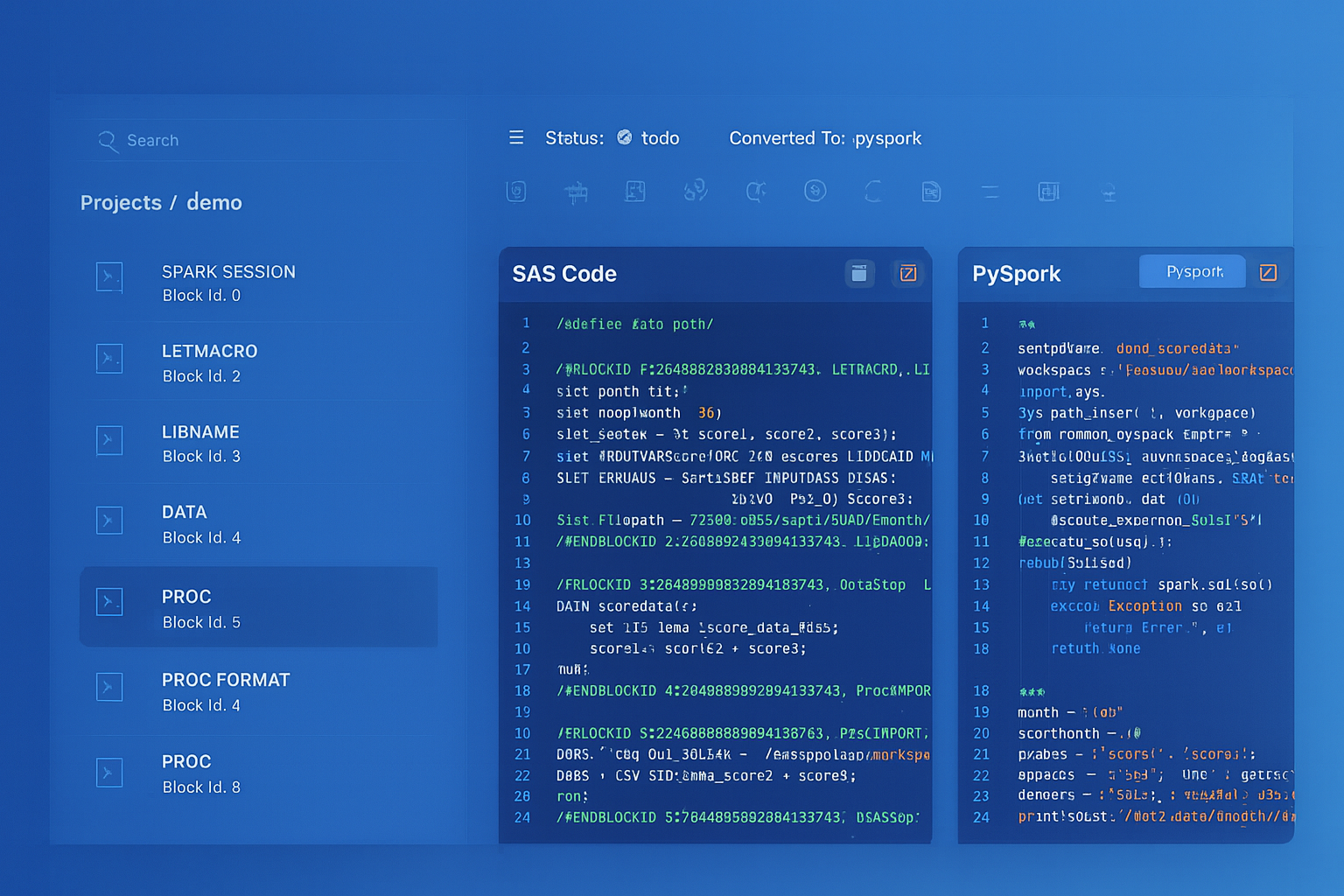
From parsed legacy code to production-ready modern equivalents — MigryX automates the entire conversion pipeline
From Legacy Complexity to Modern Clarity with MigryX
Legacy ETL platforms encode business logic in visual workflows, proprietary XML formats, and platform-specific constructs that are opaque to standard analysis tools. MigryX’s deep parsers crack open these proprietary formats and extract the underlying data transformations, business rules, and data flows. The result is complete transparency into what your legacy code actually does — often revealing undocumented logic that even the original developers had forgotten.
Dynamic Tables: Declarative Replacement for Simple ODI Mappings
Many ODI mappings with "IKM SQL to SQL (Append)" or simple transformation logic can be replaced entirely by Snowflake Dynamic Tables. A Dynamic Table declares the transformation as a SQL query, and Snowflake automatically manages refresh scheduling, incremental processing, and data freshness — replacing the ODI mapping, its KM configuration, the package that schedules it, and the scenario that deploys it.
-- ODI: Mapping + Package + Scenario for hourly product_performance refresh
-- Mapping: Join fact_sales with dim_product, aggregate by product
-- Package: Schedule hourly via ODI Agent
-- Scenario: Compiled for production deployment
-- Total objects: 3 (mapping, package, scenario) + KM configurations

-- SNOWFLAKE: Single Dynamic Table replaces all three ODI objects
CREATE OR REPLACE DYNAMIC TABLE gold.product_performance
    TARGET_LAG = '1 hour'
    WAREHOUSE = etl_wh
AS
    SELECT
        p.product_id,
        p.product_name,
        p.category,
        p.brand,
        COUNT(DISTINCT s.order_id) AS total_orders,
        SUM(s.quantity) AS total_units_sold,
        SUM(s.total_amount) AS total_revenue,
        AVG(s.total_amount) AS avg_order_value,
        MIN(s.order_date) AS first_sale_date,
        MAX(s.order_date) AS last_sale_date,
        COUNT(DISTINCT s.customer_id) AS unique_customers
    FROM warehouse.fact_orders s
    JOIN warehouse.dim_product p ON s.product_id = p.product_id
    GROUP BY p.product_id, p.product_name, p.category, p.brand;
Dynamic Tables are the most impactful simplification for ODI migration. A single Dynamic Table replaces an ODI mapping (with its Knowledge Module configuration), a package (with its step sequence), and a scenario (with its deployment artifact). Snowflake handles scheduling, incremental refresh, and data freshness automatically — eliminating three layers of ODI complexity with one SQL statement.
ODI Agents vs. Snowflake Virtual Warehouses
ODI Agents are Java processes running on dedicated servers that orchestrate ETL execution. They connect to the ODI repository to retrieve scenarios and load plans, manage sessions, and coordinate with target databases. Agents require provisioning, monitoring, patching, and high-availability configuration. Snowflake virtual warehouses replace agents as compute engines with fundamentally different characteristics.
- Provisioning — ODI agents require server setup, Java installation, and repository connection configuration. Snowflake warehouses are created with a single SQL command.
- Scaling — ODI agent capacity is limited by server resources. Snowflake warehouses resize instantly, and multi-cluster warehouses auto-scale for concurrency.
- Cost — ODI agents incur 24/7 server costs. Snowflake warehouses auto-suspend after idle periods (configurable down to 60 seconds) and auto-resume on demand.
- Maintenance — ODI agents require Java updates, OS patching, and connector upgrades. Snowflake manages all infrastructure.
- High Availability — ODI agent HA requires standby agents and load balancing configuration. Snowflake warehouses are inherently resilient.
Semi-Structured Data: ODI Limitations vs. Snowflake VARIANT
ODI has limited native support for semi-structured data formats like JSON and XML. Processing JSON in ODI typically requires external tools, custom Groovy scripts, or Oracle-specific functions. Snowflake handles semi-structured data as a first-class citizen through the VARIANT data type, PARSE_JSON(), FLATTEN(), and dot-notation traversal.
-- ODI: Processing JSON requires custom Groovy or Oracle JSON functions
-- Limited flexibility, often requires pre-processing

-- SNOWFLAKE: Native semi-structured data handling
-- Ingest JSON directly
COPY INTO staging.api_responses (payload, loaded_at)
FROM (SELECT $1, CURRENT_TIMESTAMP() FROM @api_stage/responses/)
FILE_FORMAT = (TYPE = 'JSON');

-- Query and flatten nested JSON
SELECT
    r.payload:order_id::INTEGER AS order_id,
    r.payload:customer.name::STRING AS customer_name,
    r.payload:customer.email::STRING AS customer_email,
    item.value:sku::STRING AS sku,
    item.value:quantity::INTEGER AS quantity,
    item.value:unit_price::FLOAT AS unit_price
FROM staging.api_responses r,
    LATERAL FLATTEN(input => r.payload:items) item
WHERE r.payload:status::STRING = 'confirmed';
Time Travel: A Capability ODI Cannot Provide
Snowflake Time Travel allows querying historical data states and recovering from accidental changes without any backup-and-restore operations or ODI-managed snapshot logic. This is a platform capability that has no ODI equivalent.
-- Query data as it existed before a bad update
SELECT * FROM warehouse.fact_orders
AT (OFFSET => -3600);

-- Recover from accidental DELETE
CREATE OR REPLACE TABLE warehouse.fact_orders
    CLONE warehouse.fact_orders
    BEFORE (STATEMENT => LAST_QUERY_ID(-1));

-- Zero-copy clone for testing (no ODI equivalent)
CREATE DATABASE dev_analytics CLONE prod_analytics;
Migration Strategy with MigryX
MigryX uses AST-based deterministic parsers to analyze ODI repository exports at the structural level, extracting mapping definitions, Knowledge Module assignments, package step sequences, load plan hierarchies, variable definitions, sequence configurations, and topology configurations. This deep structural understanding enables automated conversion with over 95% accuracy — capturing not just the SQL logic but the orchestration patterns, CDC configurations, and data quality checks that Knowledge Modules encode.
The MigryX platform generates column-level data lineage from ODI source models through every mapping transformation to target datastores, producing STTM (Source-to-Target Mapping) documentation automatically. For organizations with hundreds of ODI mappings across multiple projects and models, this lineage analysis is essential for validating migration completeness and understanding cross-mapping dependencies.
- AST-based deterministic parsing — MigryX parses ODI repository XML exports (Smart Export format), extracting the complete object graph: mappings, KM assignments, packages, scenarios, load plans, variables, sequences, and topology. No regex pattern matching or AI-only guessing.
- +95% parser accuracy — handles complex ODI configurations including custom KM modifications, Groovy expressions, and Oracle-specific SQL constructs.
- Knowledge Module decomposition — each KM assignment is analyzed to determine the target integration pattern (append, incremental update, CDC) and converted to the appropriate Snowflake operation (INSERT, MERGE, Stream + MERGE).
- Column-level lineage — traces data from ODI source models through every mapping transformation to target datastores, generating comprehensive STTM documentation.
- Multi-target output — generates Snowflake SQL, Snowpark Python, and Task DAG definitions from a single ODI analysis. The same analysis can target dbt models or other formats.
- On-premise and air-gapped deployment — runs entirely within your network. No ODI repository exports, database schemas, or data leaves your environment.
- STTM documentation — automatically produces comprehensive Source-to-Target Mapping documents covering every column, transformation rule, and lineage path across the ODI estate.
- Merlin AI — for complex ODI Groovy procedures, custom KM modifications, and Oracle-specific SQL constructs (CONNECT BY, MODEL clause, analytic functions), Merlin AI generates optimized Snowflake equivalents.
Migration Comparison: ODI Operational Model vs. Snowflake
| Dimension | ODI | Snowflake |
|---|---|---|
| Metadata Store | ODI Repository (Oracle database) | Eliminated (metadata is in Snowflake) |
| Compute | ODI Agent (Java process on server) | Virtual Warehouse (elastic, auto-suspend) |
| Code Generation | Knowledge Module templates | Direct SQL/Snowpark (no generation layer) |
| Scheduling | ODI Agent scheduling or external | Snowflake Tasks with CRON + DAGs |
| CDC | JKM (triggers + journal tables) | Snowflake Streams (zero impact, zero triggers) |
| Data Quality | CKM (generates constraint checks) | SQL validation procedures |
| Environment Management | Topology contexts | Database/schema + role-based access |
| Deployment | Scenario export/import | SQL scripts, Git-based deployment |
| Semi-Structured Data | Limited (Groovy/Oracle functions) | Native VARIANT, FLATTEN, PARSE_JSON |
| Point-in-Time Recovery | Custom snapshot logic | Time Travel (up to 90 days) |
| Cost Model | Oracle license + server infrastructure | Pay-per-second compute consumption |
| Maintenance | Repository patching, agent updates, KM upgrades | Fully managed, zero maintenance |
Key Takeaways
- ODI mappings (interfaces) convert to Snowflake stored procedures or Snowpark scripts, with transformation SQL executing natively on Snowflake compute instead of being generated by Knowledge Modules.
- All five Knowledge Module types have Snowflake-native equivalents: IKM becomes INSERT/MERGE, LKM becomes Stage + COPY INTO, CKM becomes validation procedures, JKM becomes Snowflake Streams, and RKM becomes INFORMATION_SCHEMA queries.
- The IKM Incremental Update pattern is most powerfully replaced by Snowflake Streams + MERGE, which provides automatic CDC without staging tables, code generation, or journal infrastructure.
- ODI packages and scenarios map to Snowflake Task DAGs with predecessor dependencies, providing equivalent sequential and conditional execution without an external agent.
- ODI load plans with parallel branches and exception handling convert to multi-task DAGs with fan-out/fan-in patterns and error notification integrations.
- ODI variables and sequences have direct Snowflake equivalents: session variables, procedure parameters, and native Snowflake sequences.
- ODI topology (data servers, physical/logical schemas, contexts) is replaced by Snowflake's native database/schema hierarchy and role-based access control.
- ODI Flow Control (CKM) is replaced by inline data quality validation in SQL procedures that route clean and error rows to separate tables.
- Snowflake Dynamic Tables can replace simple ODI mapping + package + scenario combinations with a single declarative SQL definition.
- MigryX automates ODI repository analysis, KM decomposition, and conversion to Snowflake SQL, Snowpark, and Task DAGs with full column-level lineage documentation at over 95% accuracy.
Migrating from ODI to Snowflake eliminates the middleware complexity that the Knowledge Module framework introduces. Instead of maintaining an ODI repository, configuring KM options, managing agent infrastructure, and deploying scenarios through load plans, all ETL logic lives as native Snowflake SQL procedures and Task DAGs. The result is a simpler, more maintainable, and more cost-effective data integration architecture where transformation, orchestration, CDC, and data quality all run natively on the platform where the data lives. For organizations running ODI with Snowflake as their data warehouse, removing the ODI layer is the logical next step in platform consolidation.
Why MigryX Is the Only Platform That Handles This Migration
The challenges described throughout this article are exactly what MigryX was built to solve. Here is how MigryX transforms this process:
- Deep AST parsing: MigryX’s custom-built parsers achieve 95% accuracy on every supported legacy technology — not through approximation, but through true semantic understanding.
- Merlin AI augmentation: Where deterministic parsing reaches its limit, Merlin AI resolves ambiguities and implicit behaviors, pushing accuracy to 99%.
- Complete coverage: MigryX supports 25+ source technologies including SAS, Informatica, DataStage, SSIS, Alteryx, Talend, ODI, Teradata, and Oracle PL/SQL.
- End-to-end automation: From parsing to conversion to validation — MigryX automates the entire pipeline, not just one step.
MigryX combines precision AST parsing with Merlin AI to deliver 99% accurate, production-ready migration — turning what used to be a multi-year manual effort into a streamlined, validated process. See it in action.
Ready to migrate from ODI to Snowflake?
See how MigryX converts ODI mappings, Knowledge Modules, packages, and load plans to production-ready Snowflake SQL, Snowpark pipelines, and Task DAGs — with full column-level lineage.
Explore Snowflake Migration Schedule a Demo