
Teradata has been the backbone of enterprise data warehousing for decades. Fortune 500 companies in banking, insurance, telecom, and retail still run millions of lines of Teradata SQL through BTEQ scripts every day. But as cloud economics shift the calculus—with annual Teradata licenses often exceeding seven figures—organizations are accelerating their migration timelines. The challenge is not whether to migrate, but how to do it without breaking the mission-critical workloads that keep the business running.
At the center of nearly every Teradata estate sits BTEQ: the venerable Basic Teradata Query tool that has been orchestrating batch SQL execution since the 1980s. Migrating BTEQ is not a simple find-and-replace exercise. It requires understanding a unique blend of procedural control flow, proprietary SQL extensions, and tightly coupled data-loading semantics that have no direct equivalent on modern cloud platforms.
What Is BTEQ and Why Does It Matter?
BTEQ (Basic Teradata Query) is Teradata’s command-line interface for submitting SQL statements in both batch and interactive modes. Unlike a generic SQL client, BTEQ is a full scripting environment with its own control language layered on top of standard Teradata SQL. A typical production BTEQ script interweaves:
- Session management:
.LOGON,.LOGOFF,.QUITdirectives that establish and tear down Teradata sessions with explicit credentials and system identifiers. - Export & import control:
.EXPORT FILE,.EXPORT REPORT,.IMPORT DATAdirectives that pipe query results to flat files or read data from delimited sources directly into tables. - Conditional logic:
.IF ERRORCODE <> 0 THEN .QUIT 12constructs that branch execution based on the return code of the previous SQL statement, enabling rudimentary error handling. - Environment variables:
.SET WIDTH,.SET FORMAT,.SET RECORDMODEdirectives that control output formatting, column widths, and data encoding. - Embedded SQL: Full Teradata SQL including DDL, DML, stored procedure calls, multi-statement transactions, and macro invocations.
- Label-based flow:
.LABELand.GOTOfor non-linear script execution paths.
In a mature Teradata environment, it is common to find thousands of BTEQ scripts orchestrated by enterprise schedulers like Control-M, AutoSys, or Tivoli Workload Scheduler. These scripts are the glue that holds together the entire data pipeline—from staging to transformation to reporting.

Teradata to Snowflake migration — automated end-to-end by MigryX
Why BTEQ Migration Is Exceptionally Difficult
BTEQ migration ranks among the hardest challenges in cloud data modernization for several reasons:
Procedural Control Flow Mixed with SQL
BTEQ scripts are not pure SQL. They interleave dot-commands (.IF, .GOTO, .LABEL, .SET) with SQL statements in a way that no modern cloud platform natively supports. The control flow depends on runtime state—error codes, activity counts, row counts—that must be mapped to the target platform’s scripting model (Snowflake Scripting, BigQuery scripting, or Python/PySpark orchestration).
Proprietary SQL Functions and Syntax
Teradata SQL contains hundreds of proprietary extensions that have no direct equivalent on other platforms. These are not edge cases—they appear in everyday production code:
- QUALIFY: A filtering clause applied after window functions, unique to Teradata (until recently adopted by some platforms).
- NORMALIZE: Collapses overlapping or adjacent date/time ranges into consolidated periods.
- EXPAND ON: Generates rows for each interval within a period, used heavily in temporal analytics.
- TD_ANYTYPE, TD_SYSFNLIB functions: Type-flexible UDFs and system function library calls.
- FORMAT phrases: Inline column formatting like
FORMAT '9,999.99'embedded directly in SELECT statements. - CASESPECIFIC / NOT CASESPECIFIC: Column-level collation control that affects comparisons and joins.
Bulk Data Loading Semantics
Production Teradata environments rely heavily on specialized loading utilities that are tightly integrated with BTEQ workflows:
- FastLoad: High-speed loading into empty tables using multiple sessions.
- MultiLoad: Batch DML (INSERT, UPDATE, DELETE, UPSERT) against populated tables.
- TPump (Teradata Parallel Transporter): Near-real-time continuous loading with transaction semantics.
- BTEQ .IMPORT: Row-by-row loading with USING clauses that define record layouts inline.
Each of these has different error handling, restart logic, and performance characteristics that must be faithfully reproduced on the target platform.
MigryX: Purpose-Built Parsers for Every Legacy Technology
MigryX does not rely on generic text matching or regex-based parsing. For every supported legacy technology, MigryX has built a dedicated Abstract Syntax Tree (AST) parser that understands the full grammar and semantics of that platform. This means MigryX captures not just what the code does, but why — understanding implicit behaviors, default settings, and platform-specific quirks that generic tools miss entirely.
Teradata SQL Features vs. Modern Cloud Equivalents
Understanding the mapping between Teradata-specific constructs and their cloud equivalents is essential for planning a migration. The following table summarizes the most common translations:
| Teradata Feature | Snowflake Equivalent | BigQuery Equivalent | Databricks SQL Equivalent |
|---|---|---|---|
QUALIFY ROW_NUMBER() OVER (...) = 1 |
QUALIFY (native support) |
QUALIFY (native support) |
Subquery with window function filter |
NORMALIZE ... ON |
Range aggregation with LAG/LEAD & conditional grouping |
Range aggregation via scripting | Range aggregation with DataFrame ops |
SET tables (duplicate rejection) |
Deduplication logic or DISTINCT |
Deduplication logic or DISTINCT |
Deduplication via dropDuplicates() |
PRIMARY INDEX |
Clustering keys (CLUSTER BY) |
Partitioning and clustering | Z-ordering or liquid clustering |
COLLECT STATISTICS |
Automatic (or ALTER TABLE ... CLUSTER BY) |
Automatic (slot-based optimizer) | ANALYZE TABLE ... COMPUTE STATISTICS |
| Stored Procedures (SPL) | Snowflake Scripting or JavaScript UDFs | BigQuery scripting with BEGIN...END |
Python UDFs or notebook workflows |
Target Platforms: Choosing the Right Destination
BTEQ migrations do not have a one-size-fits-all target. The right destination depends on the organization’s cloud strategy, existing investments, and workload characteristics:
Snowflake SQL
Snowflake is the most common migration target for Teradata estates. Its native QUALIFY support, MERGE statement, and Snowflake Scripting (JavaScript-based stored procedures plus SQL scripting blocks) provide a relatively straightforward mapping for most BTEQ patterns. Snowflake’s separation of storage and compute also addresses the cost concerns driving migration in the first place.
Google BigQuery
BigQuery’s serverless model eliminates infrastructure management entirely. Its SQL dialect has adopted QUALIFY and supports scripting with variables, loops, and exception handling. BigQuery’s GENERATE_DATE_ARRAY and UNNEST pattern provides a clean replacement for Teradata’s EXPAND ON clause. However, BigQuery’s slot-based pricing model requires careful workload analysis to predict costs accurately.
Databricks SQL & PySpark
For organizations already invested in the Lakehouse architecture, Databricks provides a dual path: Databricks SQL for direct SQL execution on Delta Lake tables, and PySpark for complex transformations that benefit from programmatic control. BTEQ’s procedural control flow often maps more naturally to Python/PySpark than to pure SQL scripting, making this an attractive option for heavily procedural scripts.
How MigryX Handles BTEQ Migration
MigryX’s Teradata migration engine includes a dedicated BTEQ parser that understands the full spectrum of dot-commands, control flow constructs, and embedded SQL patterns. The engine maintains a mapping library of hundreds of Teradata-specific functions and syntax patterns to their cloud equivalents across Snowflake, BigQuery, and Databricks.
Rather than treating BTEQ scripts as opaque text, MigryX deeply analyzes them to understand the complete execution logic, separating control flow from SQL. This allows the engine to generate idiomatic target code—Snowflake Scripting blocks, BigQuery scripting procedures, or Python orchestration scripts—that preserve the original business logic while adopting cloud-native patterns.
The result: automated conversion of the vast majority of BTEQ scripts with full lineage tracing from source to target.
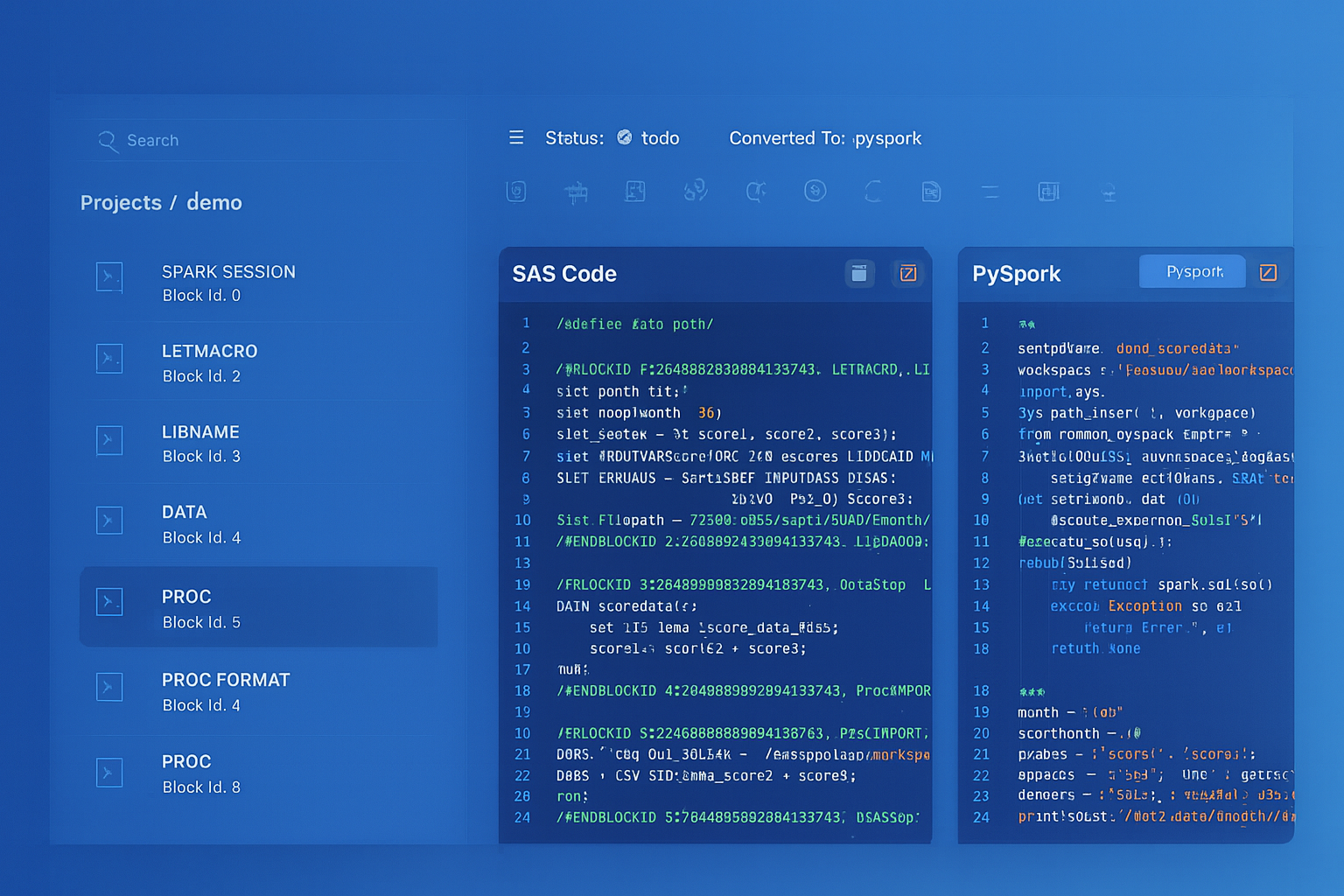
From parsed legacy code to production-ready modern equivalents — MigryX automates the entire conversion pipeline
From Legacy Complexity to Modern Clarity with MigryX
Legacy ETL platforms encode business logic in visual workflows, proprietary XML formats, and platform-specific constructs that are opaque to standard analysis tools. MigryX’s deep parsers crack open these proprietary formats and extract the underlying data transformations, business rules, and data flows. The result is complete transparency into what your legacy code actually does — often revealing undocumented logic that even the original developers had forgotten.
Migration Strategy: A Three-Phase Approach
Successful BTEQ migration follows a structured methodology that balances speed with accuracy:
Phase 1: Script-Level Conversion
The first phase focuses on automated translation of BTEQ scripts to the target platform. This involves:
- Inventory & classification: Catalog every BTEQ script, classify by complexity (simple SELECT exports, complex multi-step ETL, data loading scripts), and identify shared dependencies (macros, stored procedures, views).
- Automated parsing: Feed scripts through the conversion engine to generate target-platform code. Track conversion coverage metrics—which constructs converted automatically, which require manual intervention.
- Dependency resolution: Map inter-script dependencies (one BTEQ script creates a volatile table consumed by the next) and ensure the converted scripts maintain the same execution order and data contracts.
- Control flow translation: Convert
.IF ERRORCODE/.GOTO/.LABELpatterns into structured exception handling on the target platform.
Phase 2: Validation & Reconciliation
Automated conversion is only as good as its validation. Phase 2 establishes confidence through systematic testing:
- Row-count reconciliation: Compare output row counts between Teradata and the target platform for every converted script.
- Data value comparison: Hash-based comparison of key columns to detect semantic differences (e.g., different NULL handling, rounding behavior, or collation effects).
- Edge case testing: Deliberately test boundary conditions—empty result sets, NULL-heavy data, maximum precision decimals, Unicode characters—where dialect differences are most likely to surface.
- Performance baseline: Establish execution time baselines on both platforms to identify converted queries that need optimization.
Phase 3: Performance Tuning & Optimization
A literal translation of Teradata SQL often leaves performance on the table because cloud platforms optimize differently:
- Replace COLLECT STATISTICS patterns with platform-native optimization hints (Snowflake clustering keys, BigQuery partitioning and clustering, Databricks Z-ordering).
- Refactor volatile table chains into CTEs or materialized views where the intermediate results are used only once.
- Optimize data loading: Replace BTEQ
.IMPORTpatterns with bulk-loading mechanisms (SnowflakeCOPY INTO, BigQuery load jobs, DatabricksCOPY INTO) that leverage cloud storage staging. - Parallelize independent script segments that were serialized in BTEQ due to single-session limitations but can run concurrently on cloud platforms with independent compute resources.
Common Pitfalls and How to Avoid Them
Teams that attempt BTEQ migration without specialized tooling frequently encounter these issues:
“We converted the SQL but forgot about the control flow. Half our scripts failed on the first night because error handling was silently dropped during conversion.” — Data Engineering Lead, Fortune 100 Bank
- Ignoring
.SETdirectives: Commands like.SET FORMAT ONand.SET WIDTH 200affect output formatting. If downstream consumers parse fixed-width output files, the target scripts must reproduce the same formatting—or the consumers must be updated. - Silent data type mismatches: Teradata’s
BYTEINT,DATE(integer format YYYYMMDD), andPERIODtypes do not map directly. ADATEcolumn stored as an integer in Teradata requires explicit casting logic on the target. - Transaction semantics: BTEQ scripts that use
.SET SESSION TRANSACTION BTET(Begin Transaction / End Transaction) rely on Teradata’s implicit transaction model. Cloud platforms default to auto-commit, and multi-statement transactions must be explicitly wrapped. - Scheduler integration: BTEQ scripts return exit codes (
.QUIT 0for success,.QUIT 12for failure) that schedulers use to control workflow branching. The converted scripts must return equivalent exit codes to the orchestration layer.
Measuring Migration Success
A successful BTEQ migration is not just about code conversion—it is about business continuity. Key metrics to track include:
- Conversion rate: Percentage of BTEQ scripts that convert automatically without manual edits. Industry benchmarks for automated tools range from 70–95% depending on script complexity.
- Validation pass rate: Percentage of converted scripts that produce identical results to the Teradata originals on the first run.
- Performance parity: Ratio of execution time on the target platform versus Teradata. Cloud platforms should match or beat Teradata for well-optimized queries.
- Operational continuity: Number of production incidents in the first 30 days after cutover. The goal is zero—achieved through thorough parallel running before decommissioning Teradata.
Teradata BTEQ migration is complex, but it is a solved problem when approached with the right combination of automated tooling, structured methodology, and deep understanding of both source and target platforms. The enterprises that move decisively—armed with a proven conversion engine and a disciplined validation process—are the ones that realize cloud economics without sacrificing reliability.
Why MigryX Is the Only Platform That Handles This Migration
The challenges described throughout this article are exactly what MigryX was built to solve. Here is how MigryX transforms this process:
- Deep AST parsing: MigryX’s custom-built parsers achieve 95% accuracy on every supported legacy technology — not through approximation, but through true semantic understanding.
- Merlin AI augmentation: Where deterministic parsing reaches its limit, Merlin AI resolves ambiguities and implicit behaviors, pushing accuracy to 99%.
- Complete coverage: MigryX supports 25+ source technologies including SAS, Informatica, DataStage, SSIS, Alteryx, Talend, ODI, Teradata, and Oracle PL/SQL.
- End-to-end automation: From parsing to conversion to validation — MigryX automates the entire pipeline, not just one step.
MigryX combines precision AST parsing with Merlin AI to deliver 99% accurate, production-ready migration — turning what used to be a multi-year manual effort into a streamlined, validated process. See it in action.
Ready to modernize your legacy code?
See how MigryX automates migration with precision, speed, and trust.
Schedule a Demo